
Start With the Charger When Your Fitbit Screen Is Black
When your Fitbit screen is black, the fix is almost always a charge or a restart. Most black screens are just a dead battery or a small software freeze, not a broken tracker.
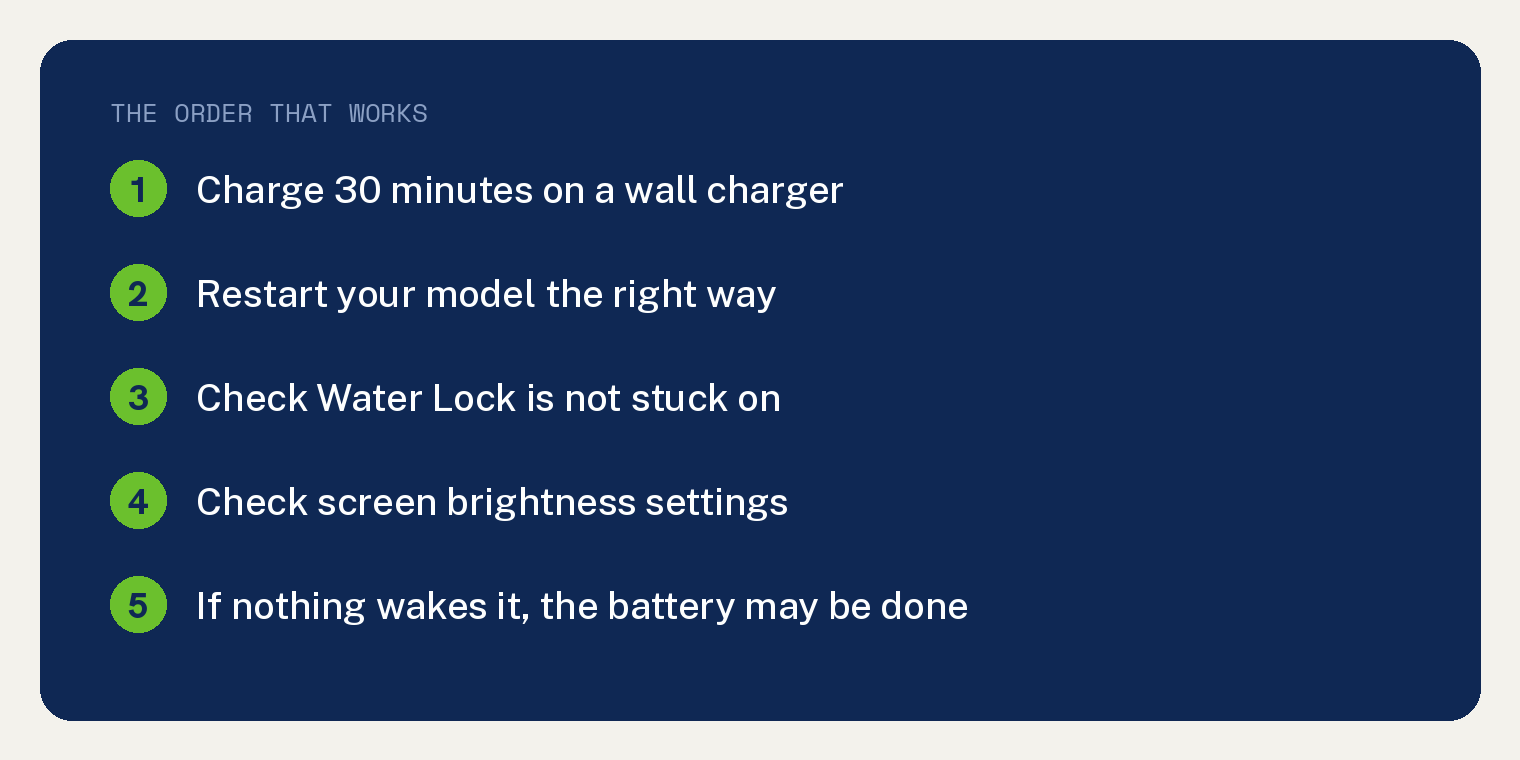
Put it on the charger for half an hour first. If it wakes up, you are done. If it does not, a quick restart usually brings it back.
Here is how to work through it, and how to tell when the battery is truly done.
Why your Fitbit screen goes black
A few things cause a blank screen, and most are easy to fix.
The top cause is a drained battery. Fitbits often give little warning before they run flat, so the screen just goes dark.
The next is a frozen system. Like any small computer, a Fitbit can lock up, and a restart clears it.
Less often, the screen is only dimmed, or Water Lock is on from a swim or shower. And sometimes, on an older tracker, the battery has simply worn out.
Fix 1: Charge it for 30 minutes
Start here, because a dead battery is the most common reason by far.
- Find the charging cable that came with your Fitbit, since each model uses its own.
- Plug the cable into a USB port on a computer or a wall charger.
- Line up the pins on the cable with the contacts on the back of the tracker until it clicks or snaps on magnetically.
- Leave it for at least 30 minutes.
Watch for a battery icon or a small light when it connects. That tells you the tracker is getting power. A full charge takes about one to two hours.
If nothing shows up at all, the cable may not be seated right. Wiggle it until the icon appears. Our guide on what to do when a Fitbit will not charge covers that in depth.
Fix 2: Restart your Fitbit
If it still looks black after charging, restart it. This does not erase any of your data, so it is safe to do.
The steps depend on your model.
For a Charge 6 or Inspire 3, keep it on the charger. Press and hold the button for about 5 seconds, then let go. It has restarted when it vibrates and shows a smile icon.
For a Versa 4 or Sense 2, press and hold the side button for about 10 seconds. Release it when the Fitbit logo appears on the screen.
Give it a minute to boot. The clock face should return once it finishes.
Fix 3: Rule out a dim screen or Water Lock
Sometimes the screen is not truly black, just too dim to see or locked from water.
Tip the Fitbit toward a bright light and look closely. If you can just make out the time, the brightness is turned down. Open Settings on the device, tap Screen Brightness, and set it to Normal or Max.
If you recently swam or showered, Water Lock may be on. On a Versa or Sense, press the side button once to turn it off. On an Inspire or Luxe, double tap the screen firmly.
Fix 4: Clean the charging contacts
Sweat and grime build up on the metal contacts and block the charge. This is a common hidden cause of a Fitbit that will not wake.
Dampen a cotton swab with a little rubbing alcohol. Gently wipe the gold contacts on the back of the tracker and the pins on the cable, then let both dry.
Reconnect the charger and look again for the battery icon. Clean contacts often fix a charge that would not start.
When it is the battery
If it still stays black after a charge, a restart, and clean contacts, the battery itself may be worn out. This is more likely on an older tracker.
I have lived this one. My family owned three Fitbits, and all three had batteries that gave out much faster than they should have for the price. When a battery is that worn, a screen that stays dark is one way it shows.
We got one replaced under warranty, and the other two were out of warranty by the time they failed. So check yours first. If the tracker is still covered, Google may repair or replace it. If it is out of warranty and the battery is spent, a new tracker is often the honest answer.
Before you give up, it helps to know how long these last. Our look at why a Fitbit keeps turning off covers the same aging battery signs.
Frequently asked questions
Why is my Fitbit screen black but it still buzzes?
That points to a display or brightness problem, not a dead device, since it still has power. Restart it first, then check that Screen Brightness is set to Normal or Max. If it still will not show anything, the screen may have failed.
How do I restart a Fitbit that will not turn on?
Put it on the charger first. On a Charge 6 or Inspire 3, hold the button for about 5 seconds. On a Versa 4 or Sense 2, hold the side button for about 10 seconds until the logo shows. Restarting keeps all your data.
Does restarting a Fitbit delete my data?
No. A restart just reboots the tracker and leaves your stats, settings, and history in place. That is different from a factory reset, which does erase the device.
My Fitbit will not sync after it comes back on. What now?
Once the screen is working again, syncing is a separate step through the app. Our guide on how to fix a Fitbit that will not sync in Google Health walks you through it.