
The Internet Speed You Need, Sized by Who Is Home
The internet speed you need depends on how many people and devices are online at the same time. T-Mobile’s speed guide puts one person who mostly browses or streams in HD at 25 Mbps, and a small family that streams, games and works from home at 100 to 200 Mbps.
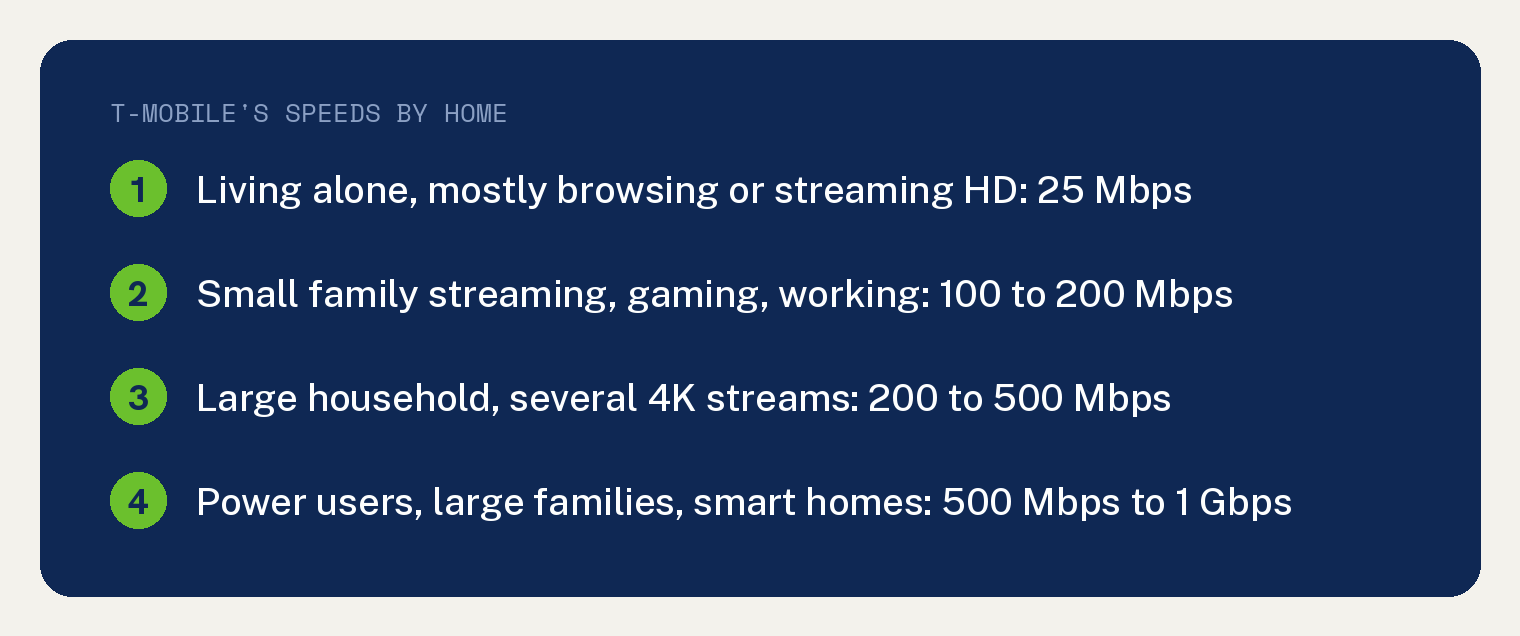
For “A small family streaming, gaming, and working from home,” the guide says “100-200 Mbps is ideal.” Bigger and busier homes move up from there.
How much internet speed does a family need?
We sort homes into four sizes, and the size names in the first column are ours. The words in the middle column and the speeds are T-Mobile’s.
| Our size name | Who it fits, in T-Mobile’s words | T-Mobile’s speed |
|---|---|---|
| Light | “If you live alone and mostly browse or stream in HD” | 25 Mbps |
| Small family | “A small family streaming, gaming, and working from home” | 100 to 200 Mbps |
| Busy home | “A large household with multiple 4K streams, gaming, and smart home devices” | 200 to 500 Mbps |
| Fully loaded | “Power users, large families, or smart homes” | 500 Mbps to 1 Gbps |
A large family belongs further down the table, since T-Mobile puts “large families” in its 500 Mbps to 1 Gbps row with power users and smart homes. T-Mobile says that top tier “ensures no slowdowns.”
Pay for the top tier only when your devices can use it.
How do I work out my own number?
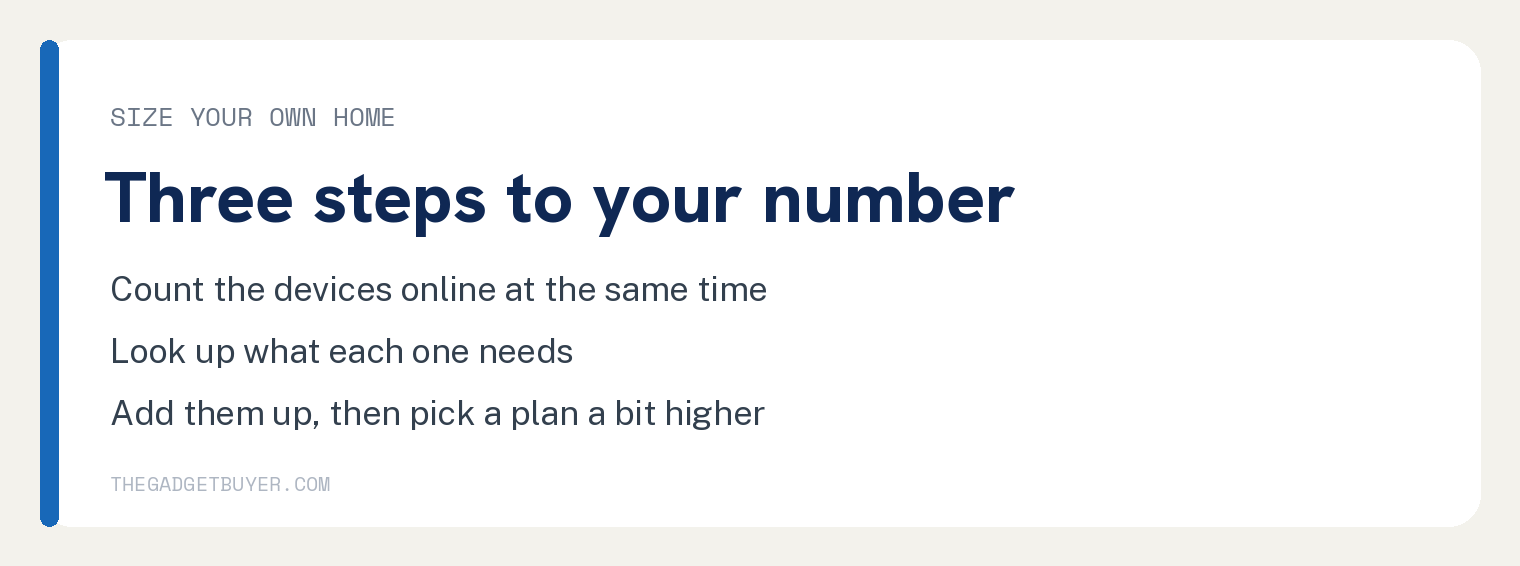
First, T-Mobile’s guide says to “Identify how many devices will be using the internet simultaneously.”
Second, T-Mobile says to “estimate how much bandwidth each device requires.” For streaming, Netflix publishes its own numbers: 3 Mbps for HD at 720p, 5 Mbps for 1080p and 15 Mbps for 4K, each “or higher.”
Netflix gives those numbers “To get the best video quality when watching TV shows, movies, or live events on Netflix.” It ties them to “a stable internet connection speed.”
Third, T-Mobile says to “add up the required speeds” when a lot of people are streaming, gaming, or working at the same time.
T-Mobile’s worked example adds 4K streaming for three people, online gaming for two, video calls for two, one smart doorbell and five security cameras. It lands at “Total: ~102 Mbps needed” and says “A 100-200 Mbps plan would be ideal for this home.”
How much headroom should I leave?
Pick a plan a bit above your total. T-Mobile’s tip: “Always choose a slightly higher speed than your calculations to account for background device usage and occasional slowdowns.”
Going too cheap has its own cost. You max out your connection and end up blaming the provider for bad service.
Does upload speed matter?
Yes, for anything you send. T-Mobile defines upload as “How fast data is sent from your device to the internet, impacting tasks such as video conferencing, uploading files, and live streaming.”
T-Mobile notes “Many providers offer lower upload speeds compared to download speeds.” Its advice: “If your activities center around uploading data, consider plans with higher upload speeds or symmetrical speeds (equal download and upload speeds), which are often available with fiber-optic connections.”
Is 1 Gig internet worth it?
I chose 1 Gig for our vacation home, and I could have gotten away with 500 Mbps or even 200. Every device there is on WiFi, and nothing is plugged in by cable.
In my view, if everything in the house is on WiFi with no hardwired devices, you may not be able to take advantage of the top speed tiers.
My wife and I are on work video calls all day, our two teens are on their devices, and every TV streams.
When Brightspeed Fiber reached the area, I moved from a 200 Mbps Spectrum plan to 1 Gig. I took it because the switch saved money anyway, and I liked the headroom.
My rule is to pay only for speed you can and will use. If far rooms in your home get a weak signal, read our guide on whether you need mesh WiFi or just a better router.
Why is my internet slow on a fast plan?
Start by testing the speed you get now. T-Mobile’s guide says “Websites like Speedtest by Ookla allow you to measure your current internet speed.”
Netflix’s advice for a slow result: “If your internet speed is slower than you expect, contact your internet service provider for help.”
Before that call, our guide to finding out if it’s your internet or your router walks through the tests one piece at a time.
If one TV is the only slow screen, start with our smart TV slowdown fixes, in order.
T-Mobile’s guide says “Older routers may not support higher speeds.” If your router is getting old, see our guide on when to replace your router.
Quick answers
Is 25 Mbps enough?
For one person, T-Mobile’s guide says yes: if “you live alone and mostly browse or stream in HD,” then “25 Mbps should be enough.” The same guide puts a small family that streams, games and works from home at 100 to 200 Mbps.
How much speed do I need for 4K streaming?
Netflix recommends 15 Mbps or higher for 4K. T-Mobile’s general internet usage chart lists “4K video streaming, online gaming” at 20 Mbps minimum and 25 Mbps recommended.
How much speed does online gaming need?
T-Mobile’s general internet usage chart puts online gaming at 20 Mbps minimum and 25 Mbps recommended. The same chart lists “Multiplayer gaming, large file downloads” at 100 Mbps minimum. Its worked example counts “2 people gaming online (2 × 20 Mbps = 40 Mbps).”
How much speed does a video call need?
T-Mobile’s worked example counts 5 Mbps for each person on a video call: “2 people working remotely with video calls (2 × 5 Mbps = 10 Mbps).”