
AT&T eSIM Not Working on Your iPhone or Android Phone
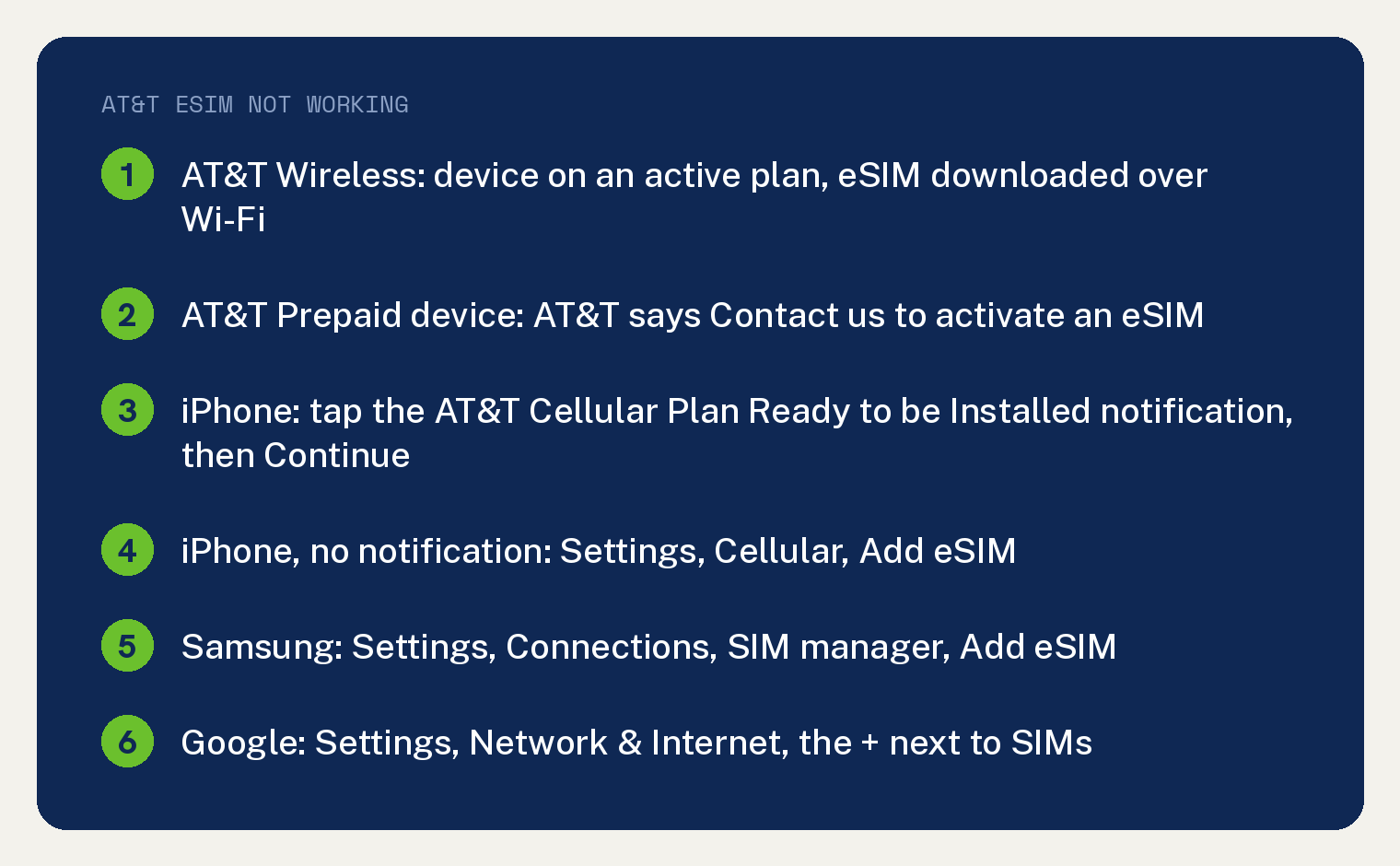
AT&T eSIM not working? For an AT&T Wireless eSIM, AT&T says to make sure the device is on an active plan and download the eSIM over Wi-Fi, then follow the steps AT&T prints for your phone below.
On an AT&T Prepaid device, AT&T’s “Activate and use your device” page says: “Activate an eSIM on an AT&T Prepaid® device: Contact us”.
Is your eSIM on AT&T Wireless or AT&T Prepaid?
Start with the plan, because AT&T sends the two down different routes. AT&T’s “Activate and use your device” page gives AT&T Wireless customers a short list: make sure the device is on an active plan, download the eSIM over Wi-Fi, turn the device on, and follow the prompts.
Under “If you’re looking to:” the same page lists three more routes. To activate an eSIM on an AT&T Prepaid device, AT&T points you to Contact us.
Moving your number from another provider? AT&T says to go to att.com/activatenow “before you turn on your phone.”
Bringing your own phone to AT&T? That page says: “Bring your device to AT&T: Request a new eSIM“.
On AT&T Prepaid and not sure your phone can take an eSIM? AT&T’s prepaid eSIM page says to press *#06# on the device. If you see an EID number listed, the device can use eSIM; if not, that page says to get a physical SIM card for your AT&T Prepaid device.
AT&T eSIM not activating on an iPhone
On an iPhone set up over Wi-Fi, AT&T says the eSIM might download on its own, or you might be asked to install an AT&T cellular plan. Service bars or a working call mean you’re all set.
No service yet? AT&T’s iPhone steps are:
- Connect to Wi-Fi.
- Swipe down from the top of the screen to open your notifications.
- Choose the AT&T Cellular Plan Ready to be Installed notification and select Continue.
- No notification? Open Settings, select Cellular, then Add eSIM.
- On the Set Up eSIM screen, select Continue and follow the steps to activate.
If you bought the iPhone from AT&T, AT&T says you might have to activate your iPhone first.
One model has its own note. For a new iPhone 18 Pro Max, AT&T says to update to the newest operating system before you activate, in Settings, General, Software Update.
iPhone still has no service after the eSIM installs
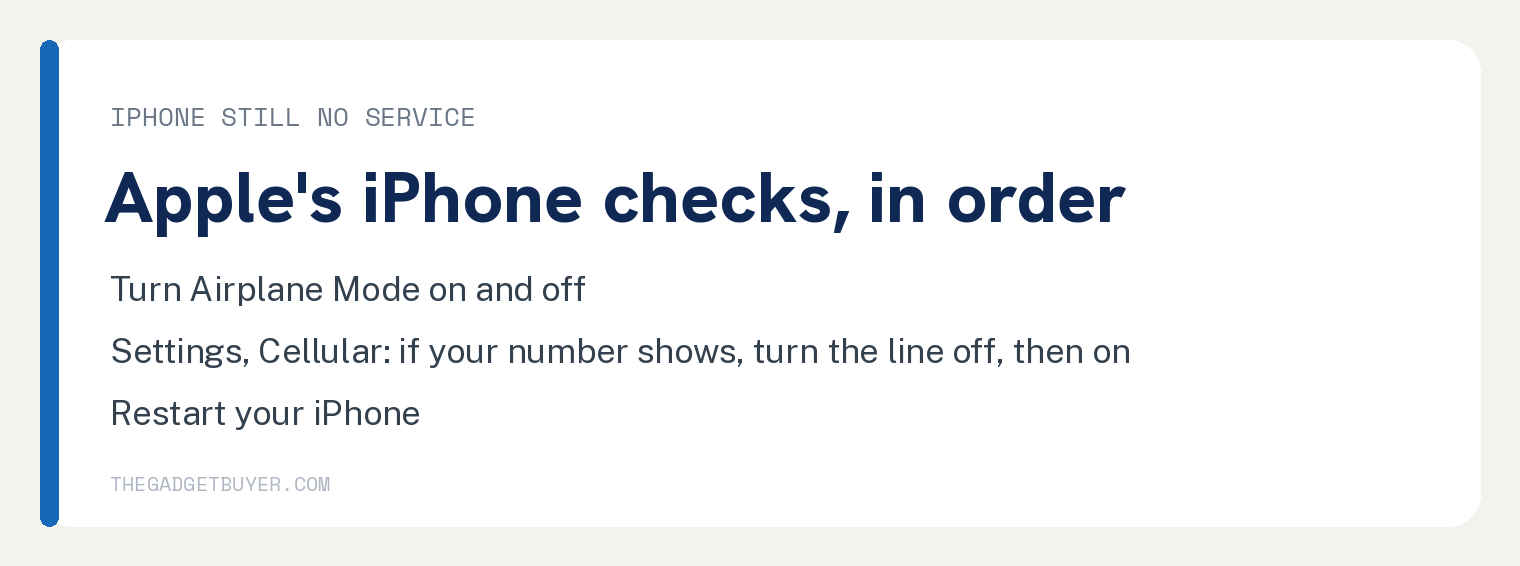
Run Apple’s own checks next, in Apple’s order. After each one, swipe down from the upper right corner to open Control Center and look for your carrier in the status bar; if it’s there, stop.
- Turn Airplane Mode on and off.
- Open Settings and tap Cellular. If the number you’re activating is shown, turn the line off and then back on.
- Restart your iPhone.
Then check the carrier settings. Go to Settings, General, About, scroll to the eSIM section, and tap the version number next to Carrier. Apple says “If an update is available, you’ll see a prompt to select OK or Update.”
Apple’s page also lists what the iPhone needs: a Wi-Fi network or hotspot, an active cellular plan and eSIM from a carrier that supports eSIM, and the latest version of iOS the iPhone can use. Apple adds: “In some countries and regions, iPhone models that are eSIM-only can activate without a Wi-Fi network.”
On iPhone models running iOS 18 or later, Apple adds that the latest Apple Support app can run extra diagnostics that “might help determine the source of your device’s issue.”
AT&T eSIM not working on a Samsung, Google or other Android phone
AT&T prints a different path for each type of Android phone. Use the one that matches yours.
On a Samsung smartphone, turn the phone on and follow the setup prompts. No service? AT&T says to look for a notification to add your eSIM, or go to Settings, tap Connections, then SIM manager and Add eSIM.
On a Google smartphone, connect to Wi-Fi, open Settings, choose Network & Internet, and select the plus sign (+) next to SIMs. Then select Set up an eSIM or Transfer a SIM from another device and follow the prompts; AT&T notes “You may need a QR code.”
On an Android phone outside those two brands, AT&T says to have an eSIM activation card with a QR code from AT&T first. Connect to Wi-Fi, open Settings and look for Network, Connections, Mobile or similar, find the option to download a SIM or eSIM, and scan the QR code on the card.
On a Google or other Android phone that still has no wireless service, AT&T says you may still need to activate your device.
How do I move my AT&T eSIM to a new iPhone?
Apple’s eSIM Quick Transfer moves the SIM from your old iPhone to the new one, if your carrier supports it. Before you start, Apple lists four things:
- Both iPhones signed in with your Apple Account.
- The old iPhone unlocked with its passcode.
- Both iPhones nearby with Bluetooth turned on.
- Both iPhones on iOS 18.4 or later.
Apple’s page says: “If you’re asked to transfer your phone number during setup of your new iPhone, transfer your physical SIM or eSIM using the onscreen prompts.”
You can also transfer after setup. On the new iPhone, open Settings, tap Cellular, then Set Up Cellular or Add eSIM, and choose the plan to transfer; if you don’t see a list of numbers, tap Transfer From Nearby iPhone.
Apple’s next step: “Follow the instructions on your previous iPhone. To confirm, tap Transfer, or, if prompted for a verification code, enter the code that your new iPhone displays.”
Wait for the plan to activate on the new iPhone. Apple says: “The cellular plan on your new iPhone deactivates your previous SIM when the cellular plan activates.”
See a banner that says Finish Setting Up Your Carrier’s Cellular Plan? Apple says to tap it, and you’ll go to your carrier’s webpage to transfer your eSIM.
Moving from an Android phone to an iPhone? Apple says to contact your carrier, who will move the number by eSIM Carrier Activation or with a QR code. Our guide to switching your SIM card to a different phone covers a physical SIM.
What to have ready before you contact AT&T
If the eSIM still won’t set up, Apple’s iPhone page says to contact your carrier. It lists what might help to gather first:
- The error message on your iPhone.
- Your phone number.
- Your carrier account password and/or PIN.
- Your iPhone’s IMEI or EID, found in Settings, General, About.
On AT&T Prepaid, AT&T’s “Activate and use your device” page says: “Activate an eSIM on an AT&T Prepaid® device: Contact us”.
Other AT&T eSIM questions
Which iPhones can use an eSIM?
Apple lists an iPhone XS, iPhone XS Max, iPhone XR, or later.
What if Visual Voicemail stops after the switch?
Our AT&T Visual Voicemail not working guide walks through AT&T’s checks.
My line is on T-Mobile or Verizon. Where do I look?
Use our T-Mobile eSIM not working guide or our Verizon eSIM transfer not working guide for those carriers.
Sources
- Get to know eSIM (AT&T Support)
- Activate and use your device (AT&T Support)
- AT&T Prepaid eSIM (AT&T Support)
- If you can’t set up an eSIM on your iPhone (Apple Support)
- Set up eSIM on iPhone (Apple Support)