
When Your LG TV Keeps Turning Off by Itself, Check Settings
If your LG TV keeps turning off by itself, check its settings before you book a repair. Start with the timers, then the devices plugged into its HDMI ports, since LG’s help pages say either one can switch the TV off.
LG’s US timer page is plain about the first one. If the Power off Timer is not set to off, “the timer may trigger the power-off, which may be mistaken for a malfunction.”
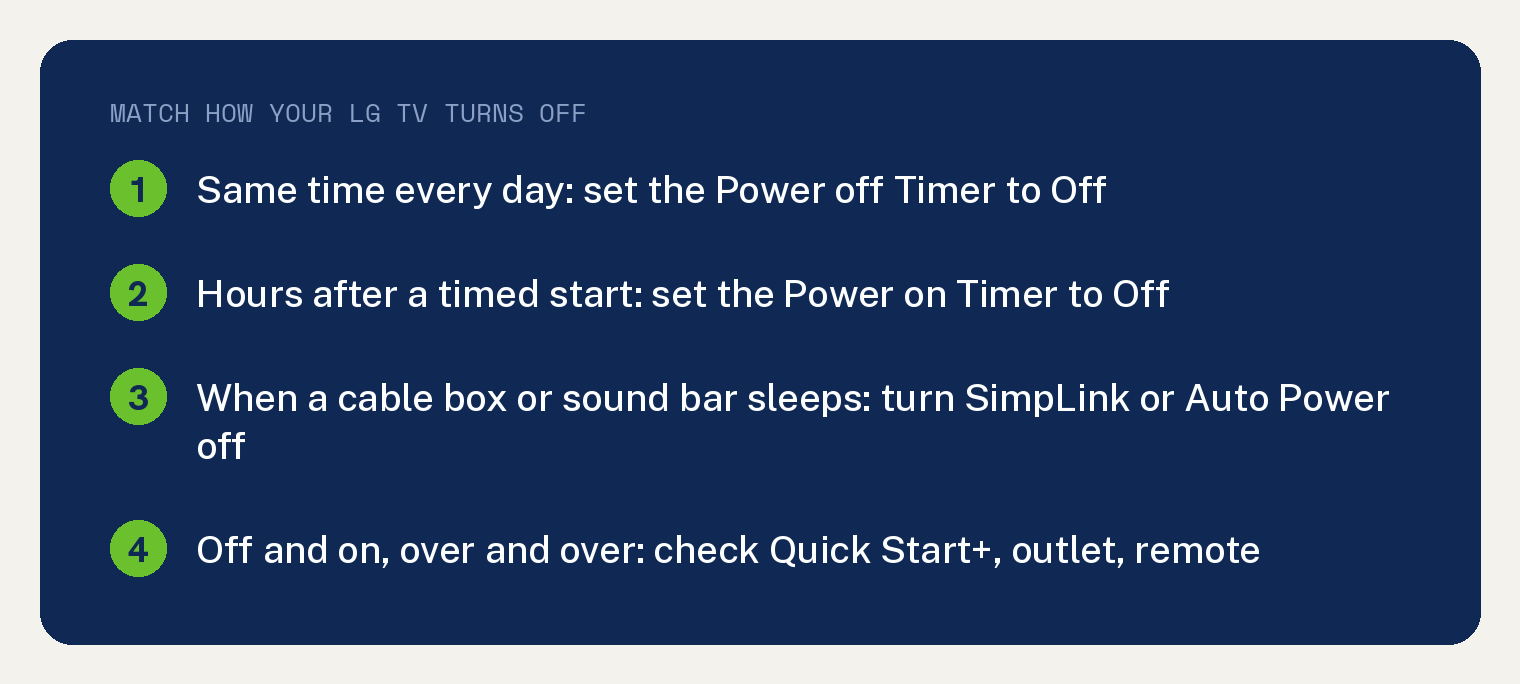
Which check fits how your LG TV turns off?
Match what you see to the first thing to check. This split and its order are ours, built from four LG help pages: two from LG USA, one from LG Canada and one from LG UK.
| What you see | Check first | LG page |
|---|---|---|
| Off at the same time each day | Power off Timer | LG USA timer page |
| Off hours after it turned itself on | Power on Timer | LG USA timer page |
| Off when a cable box or sound bar sleeps | SimpLink (HDMI-CEC) | LG USA SimpLink page |
| Off and on, over and over | Quick Start+, outlet, remote | LG Canada and LG UK |
Menu names can differ by model and year. LG’s SimpLink page says “This guide was created for all models, so the images or content may be different from your product.”
Does it turn off at the same time every day?
Turn off the Power off Timer. LG’s Canadian page says that with this timer set, “The TV will turn off at the set time.”
On 2022 and 2021 LG TVs, LG’s US timer page gives this path:
- Press the Settings button on your remote and open All Settings.
- Go to General, then System, then Time & Timer, then Timers.
- Select Power off Timer and set it to Off.
On a 2020 set, the path is All Settings, General, Time, Timers. On 2019, 2018 and 2017 sets, it is All Settings, General, Timers.
LG’s two US pages print menu paths for 2017 through 2022 sets only.
Does it turn off a few hours after it turned itself on?
That is the Power on Timer’s own shutoff. LG’s US timer page says “If there is no user input for 2 or 4 hours after the device turns on with the Power-on Timer, it turns off automatically.”
To stop it, set the Power on Timer to Off in the same Timers menu. On LG’s Canadian page, the setting for this case is Auto Power Off after 4 Hours, and you set it to Off. That page adds, “Some models may not support this option.”
Does it turn off when your cable box, sound bar or streaming stick goes to sleep?
Turn off SimpLink (HDMI-CEC), the setting that lets HDMI devices control the TV’s power. LG’s US page explains that “HDMI cables support CEC capability, enabling power control between products.”
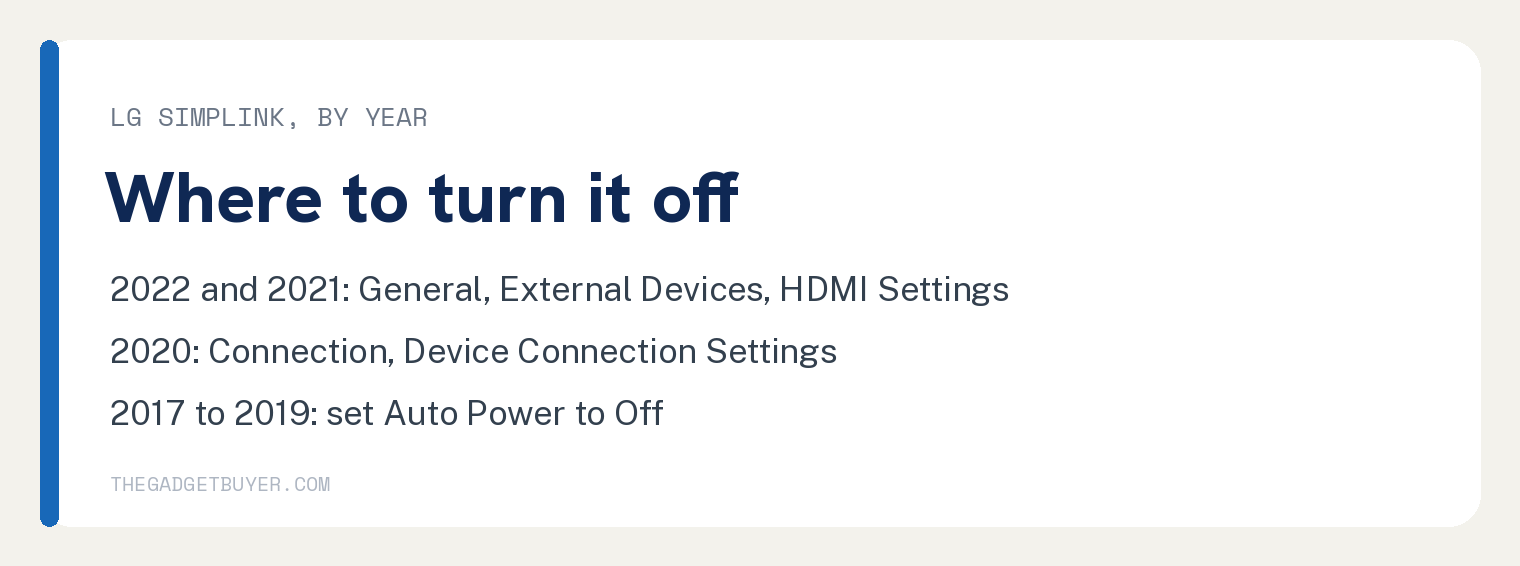
The same page says “The power may turn on or off automatically due to a malfunction of the CEC function.” On 2022 and 2021 sets, LG’s path is:
- Press the Settings button and open All Settings.
- Go to General, then External Devices, then HDMI Settings.
- Set SimpLink (HDMI-CEC) to Off.
On a 2020 set, go to All Settings, Connection, Device Connection Settings, and turn SimpLink (HDMI-CEC) off. On 2019 sets, go to All Settings, Connection, HDMI Device Connection, and turn Auto Power off.
On 2018 and 2017 sets, go to All Settings, General, SimpLink (HDMI-CEC), and turn Auto Power off.
Know the trade off first. LG writes: “In WebOS 6.0 or later, the Auto Power option is not available, and disabling SimpLink (HDMI-CEC) will make the controls from external devices invalid.”
Then check the other device. LG says “Disable the TV power synchronization and automatic power standby mode on your set-top box.” It adds, “For detailed instructions, please contact your set-top service provider.”
If you have a Bose sound bar
Turn off the sound bar’s auto off timer in the Bose SoundTouch app. LG’s Canadian page says “A common factor with most incident reported featured a BOSE sound bar connected to these LG televisions.”
Per that page, the sound bar’s timer uses HDMI and CEC commands to shut down connected devices “if sound bar inactivity has been detected after 20 minutes.” If you cannot find the setting, the page says “please contact BOSE Customer Support.”
The same page lists more reported cases with “other peripherals featuring HDMI-CEC (Consumer Electronics Command) such as Amazon FireStick.”
Does it turn off and on again, over and over?
Check Quick Start+ first, then the power and the remote. Quick Start+ keeps the TV in standby so it starts faster.
One warning from LG UK comes before every step: “If you smell burning, see smoke, or hear unusual noises, unplug the TV immediately and contact LG Customer Support.”
LG UK also says “Before checking connections, turn the TV off and unplug the power cord.”
LG’s Canadian page warns that turning Quick Start+ on “may increase energy consumption while possibly triggering adverse effects such as intermittently turning TV On/Off.” That page also says “Some models may not support this option.” Try the TV with Quick Start+ set to Off.
These two checks come from LG’s UK page:
- Plug the TV straight into the wall. If you use a power strip or a recessed outlet, LG UK says to “connect the TV directly to a known-good, always-on wall outlet.” Test that outlet with a small appliance such as a hair dryer. LG UK says “When testing a wall outlet, use only a small household appliance you know is working and keep hands dry.”
- Check the remote. LG UK says “Weak batteries, stuck buttons, or a malfunctioning remote can repeatedly send a power command, making the TV appear to turn on and off by itself.”
Replace the remote batteries and check that no buttons are stuck. If you use a Magic Remote, our guide to an LG Magic Remote that is not working covers pairing it again.
When is it time to call LG service?
Call LG after the timers, SimpLink and power checks, plus a software update. LG’s US page asks “Have you checked if the firmware version is up to date?”
If it still turns off, that page says to “contact LG Electronics service technician for diagnosis and precise check.” LG’s UK page notes that “service fees may apply for engineer visits if your product is out of warranty.”
If the screen goes dark while the sound keeps playing, see our guide to an LG TV screen that goes black randomly. If the TV will not come back on at all, start with why your LG TV won’t turn on.
Quick answers
Why does my LG TV turn off after 4 hours?
A TV that turned itself on with the Power on Timer shuts off after 2 or 4 hours with no input, per LG’s US timer page. Set the Power on Timer to Off. LG’s Canadian page also says to “set Auto Power Off after 4 Hours to Off” and that “Some models may not support this option.”
Will turning off SimpLink stop other devices from controlling my TV?
On webOS 6.0 or later, yes. LG’s US page says “In WebOS 6.0 or later, the Auto Power option is not available, and disabling SimpLink (HDMI-CEC) will make the controls from external devices invalid.”
Can an LG TV turn off because it got too hot?
LG’s Canadian page says it can: “There is also a chance that the internal protection circuitry was activated on account of product’s internal temperature having suddenly risen unusually or excessively.”