
T-Mobile Visual Voicemail Not Working on Android or iPhone
T-Mobile visual voicemail not working? First check that voicemail is set up, you have at least two signal bars and at least 15% free memory, then restart the phone and leave yourself a test message. On Android, update and sync the Visual Voicemail app, and save your messages before you clear its data.
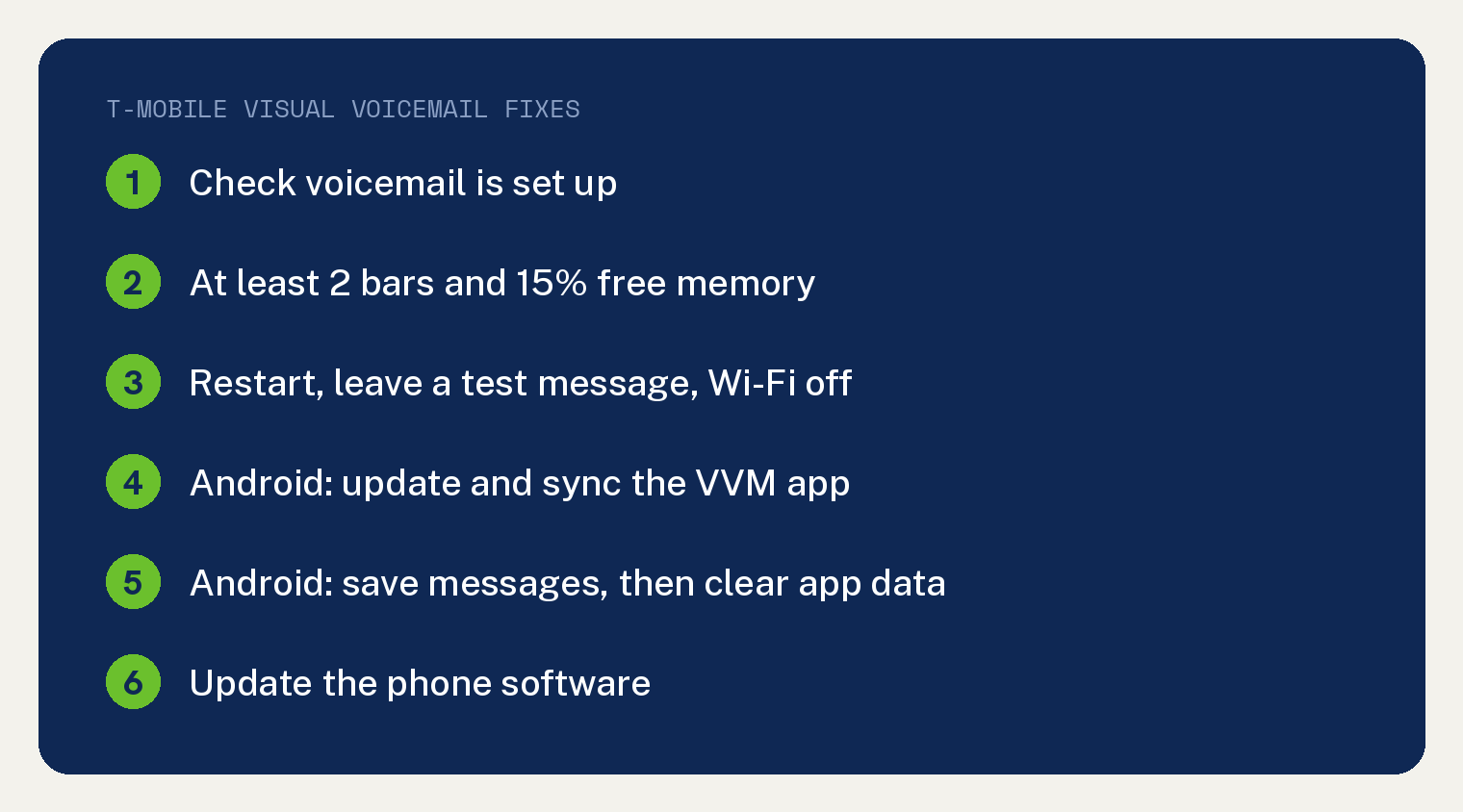
These steps come from T-Mobile’s voicemail troubleshooting guide and its two voicemail help pages.
Check T-Mobile’s basics first
T-Mobile opens with a short list for any phone: “To make sure you can receive voicemail, check the following:”
- Voicemail is set up. The first item reads “You’ve set up voicemail”. T-Mobile’s voicemail page adds: “You must set up your voicemail from the device associated with the voicemail on your plan or through the” Visual Voicemail app.
- Signal. “Your phone shows at least two signal bars. If you have fewer, your signal is too low for reliable service.”
- iPhone set up. For visual voicemail on iPhone, the list links Apple’s guide, titled “Set up Visual Voicemail on your iPhone – Apple Support”.
- Free memory. “For visual voicemail on any device, your device needs at least 15% free memory. If there’s less, free up space to allow the device to work properly.”
If all of that checks out and voicemail still acts up, T-Mobile’s page sends you to the steps for your phone.
Which steps fit your phone?
T-Mobile gives Android and iPhone separate lists under the heading “Visual voicemails don’t download or appear.” The Android list has nine steps and the iPhone list has five.
The extra Android steps all involve the T-Mobile Visual Voicemail app. T-Mobile’s app page says “This app is only for Android devices, Apple iOS devices use a built-in voicemail app.”
Here are both lists side by side. The table is ours; the steps are T-Mobile’s.
| T-Mobile step | Android list | iPhone list |
|---|---|---|
| Restart your phone | Yes | Yes |
| Call voicemail and leave a test message | Yes, check the VVM app | Yes, check the Phone app |
| Turn off Wi-Fi | Yes | Yes |
| Get the latest Visual Voicemail app | Yes | Not on the list |
| Sync the VVM inbox | Yes | Not on the list |
| Clear the app cache and data | Yes | Not on the list |
| Uninstall battery saver apps | Yes | Yes |
| Play a voicemail, reinstall the app if it won’t play | Yes | Not on the list |
| Update the phone software | Yes | Yes |
How to fix visual voicemail on Android
Work through T-Mobile’s Android list in order and stop when your messages show up:
- Restart your phone.
- Leave a test message. Call your voicemail inbox, then look for a message in the Visual Voicemail (VVM) app. “If there is no message, leave yourself a new message as a test and save it.” If that one does not appear either, keep going.
- Turn off Wi-Fi. T-Mobile’s reason is “to ensure you’re using the T-Mobile network.”
- Update the app. Make sure you have the latest T-Mobile Visual Voicemail app, and get it from Google Play if you don’t.
- Sync the inbox. In the app, T-Mobile’s “Sync the inbox” steps are Menu, then Refresh.
- Clear the app cache and data, after you save. T-Mobile’s step reads “Clear the app cache and app data of the VVM app.” Its warning: “Clearing the data deletes any messages over a month old and any messages saved only in the VVM app.”
- Remove battery saver apps. “Uninstall downloaded battery-saver apps, as some can conflict with voicemail.”
- Play a voicemail. “Try to play a voicemail. If the message won’t play, uninstall and redownload the Visual Voicemail app.”
- Update the phone software to the latest version. T-Mobile notes you can do this over Wi-Fi.
Save your messages before you clear the app data
Save first, because step 6 deletes some messages. Next to that step, T-Mobile sends you to its app page: “To save messages or send as email, use the steps on the” T-Mobile Visual Voicemail app page.
Under its Migration heading, the app page says: “Don’t clear the app cache or data, this will delete all of your voicemail messages, until after you’ve made sure you are on the latest app version.” In T-Mobile’s Android list, the app update is step 4, ahead of step 6.
The app page lists your ways to keep a message: “You can also download messages to your phone, forward to email, or save to an SD card.”
- Save to an SD card: open Visual Voicemail, press and hold a message, select Save message to, enter the file name, then select Save.
- Send by email: open Visual Voicemail and pick the message, press and hold it, select Forward to, choose your email app, then complete the email.
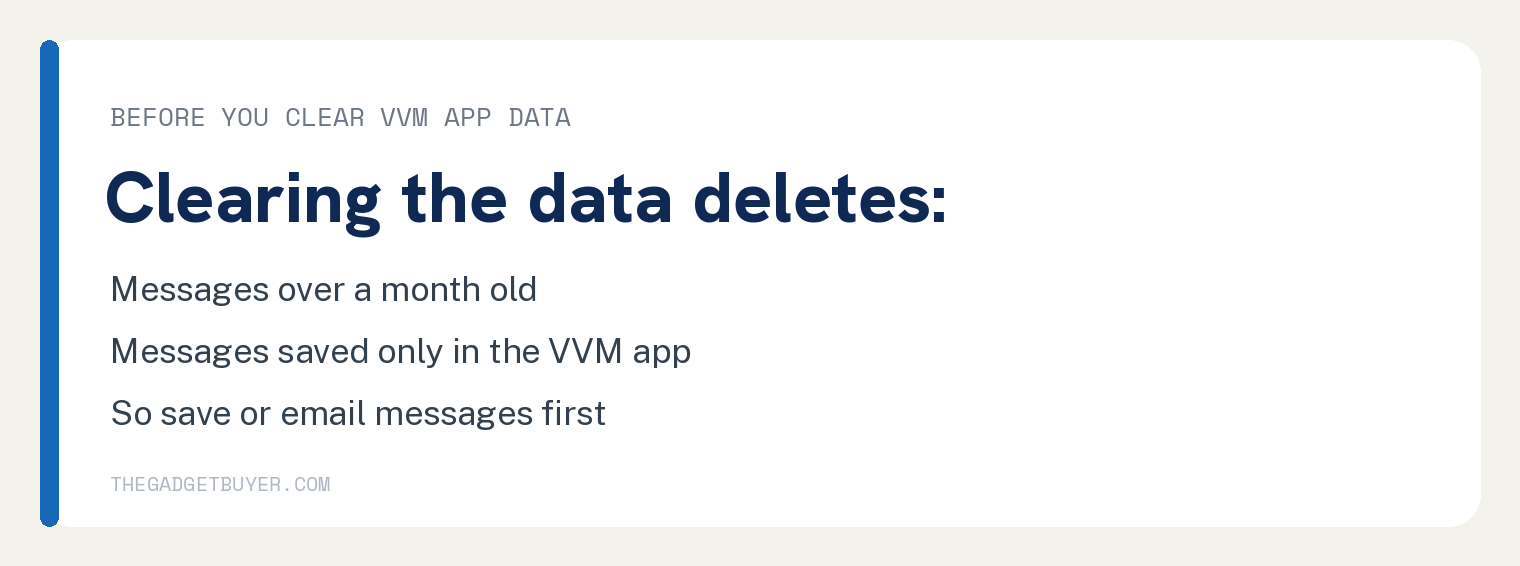
A deleted message stays deleted. The app page says “There is no way to retrieve the deleted voicemail message once it’s been moved to the trash.”
How to fix visual voicemail on iPhone
On an iPhone, you check for new messages in the Phone app. T-Mobile’s iPhone list has five steps:
- Restart your phone.
- Leave a test message. Call your voicemail inbox, then “check if there’s a message in the Phone app.” If there is none, leave yourself a test message and save it; if that one does not appear, keep going.
- Turn off Wi-Fi so you are on the T-Mobile network.
- Remove battery saver apps you downloaded, since T-Mobile says some can conflict with voicemail.
- Update the phone software. You can do this over Wi-Fi.
On either phone, if you can’t call your voicemail inbox in step 2, T-Mobile’s page says: “Try dialing into voicemail using a different method, as listed in” its How to use voicemail page.
Use Voicemail to Text? T-Mobile’s iPhone Live Voicemail note says “Some T-Mobile Voicemail features, including Voicemail to Text (VTT), may not be compatible with” Live Voicemail on iPhone. It adds: “In iOS 17 and later, Live Voicemail is on by default.”
To switch it, open Settings, choose Phone, choose Live Voicemail, then select the Live Voicemail switch.
Moved over from UScellular? On iPhones, T-Mobile says “Once you are on the T-Mobile network, restart your phone, and you will see a Set Up option that you can tap to create a PIN and greeting.” T-Mobile adds: “If the Visual Voicemail setup is not done, no new deposited voicemails will display on the app until the setup is complete.”
If you just got a new phone, our guide to switching phones on T-Mobile covers moving your line first.
No voicemail notifications?
Turn voicemail notifications on, update the phone software, and clear out texts you don’t need. T-Mobile’s first step is “Make sure your notifications are turned on for voicemail.”
A full inbox for texts can block the alert: “If your text message box is full, your device may not be able to accept new texts or notifications, including those for voicemail.” T-Mobile notes that apps can back up your texts before you delete them.
On Android, the Visual Voicemail app has its own alert setting. Open the phone’s Settings, select Apps or Apps & Notifications, pick Visual Voicemail, under ‘App settings’ select Notifications, then move the slider to ON. T-Mobile warns “Some of these steps work only on Android 8 and up.”
T-Mobile visual voicemail questions
Why don’t missed calls go to voicemail at all?
Check that your mailbox has room, then reset call forwarding. T-Mobile says “Make sure your voicemail isn’t full. If it is, you’ll need to delete some voicemails to make space for new ones.”
Its steps for unanswered calls also include dialing ##004# and selecting Send “to reset call forwarding settings.” The same list has you turn off Wi-Fi Calling and uninstall or disable downloaded apps that make calls or manage voicemail.
If you turned off Wi-Fi Calling and it won’t come back on, see our fix for iPhone Wi-Fi Calling not working. Calls that skip ringing entirely are covered in why your iPhone goes straight to voicemail.
How do I reset my T-Mobile voicemail PIN?
Dial #793#, then use the temporary PIN T-Mobile texts you. T-Mobile’s voicemail page says “Use these steps if you forget your voicemail PIN or need to reset it.”
“Receive an SMS with a temporary PIN after dialing #793#, then enter the temporary PIN using your keypad.” Then create a new PIN of 4 to 7 digits when prompted, one that is easy for you to remember and hard for others to guess.
Why did my old voicemails disappear?
T-Mobile deletes them after a set time. Its voicemail page says “Voicemail messages are automatically deleted after a specific amount of time and cannot be retrieved.”
It gives the window: “The auto-save period can be from 14 to 30-days, depending on the type of voicemail.”
On Android, T-Mobile’s app page says “Visual Voicemail messages stay on your phone until you delete them.” Need to hear one from a different phone? See how to check your iPhone voicemail from another phone.
Why do some voicemails sound bad?
If only one or a few do, the problem was on the caller’s end. T-Mobile says “If one or a few messages have poor audio quality, the person calling was experiencing problems.”
T-Mobile’s advice is to have the caller try again, and if it still sounds poor, to have them contact their own service provider.
For the other case, T-Mobile says: “If all your voicemail from multiple contacts are poor quality, save the messages and check out” its Audio issues on calls page.
Sources
- Voicemail troubleshooting (T-Mobile Support)
- T-Mobile Visual Voicemail app (T-Mobile Support)
- Voicemail (T-Mobile Support)