
Google Health App Sync to Apple Health: Google’s Steps
To set up the Google Health app sync to Apple Health, open Google Health on your iPhone, tap Connections, then Apps and services, tap Apple Health under Add connections, tap Get started, tap Agree, and grant the permissions. The connection runs both ways, in Google’s words: “Bring data from your Apple Watch, iPhone, and iPad health and fitness apps into Google Health.” and “Share data from Google Health to Apple Health.”
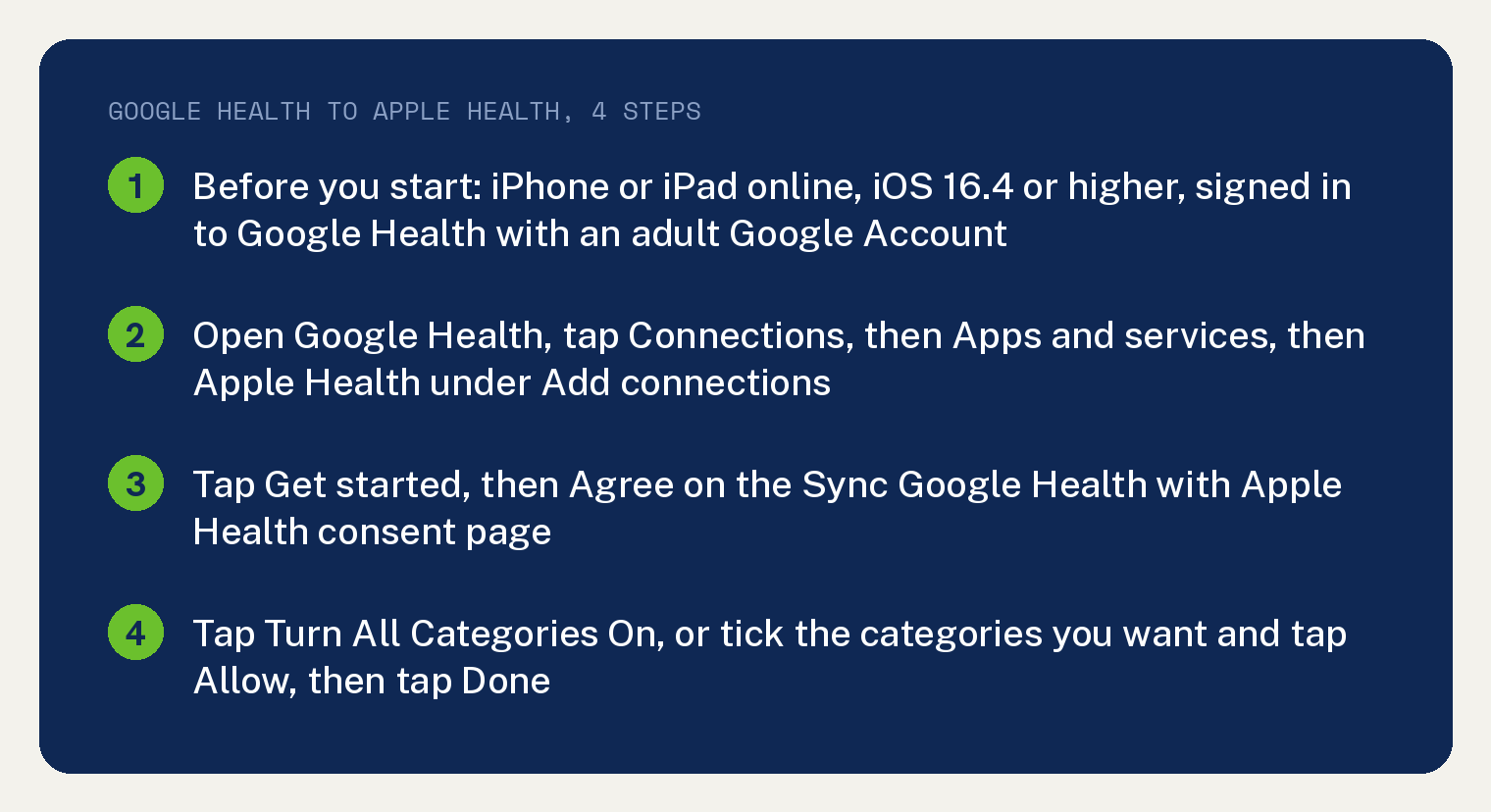
Your iPhone or iPad needs three things before you start. It has to be online, it has to run iOS 16.4 or higher, and you have to be signed in to Google Health with an adult Google Account.
Google’s own wording on the version is “You need an iOS device running iOS 16.4 or higher.” The account line reads “You must sign in to the Google Health app using an adult Google Account.”
Connect Google Health to Apple Health, step by step
Open the Google Health app. At the top left, tap Connections, then Apps and services.
Under Add connections, tap Apple Health, then tap Get started. A consent page titled Sync Google Health with Apple Health comes up, and you tap Agree.
Next come the Apple Health permissions. Tap Turn All Categories On to allow access to all the Health data categories, or tick the box beside each category you want and tap Allow.
A confirmation page appears once the permissions are granted, and you tap Done. From then on, in Google’s words, “Data synced from Apple Health is displayed and used across the Google Health app.”
Reinstalling Google Health undoes the link. Google’s line: “If you reinstall the Google Health app, you’ll need to reconnect Google Health to Apple Health and re-grant permissions.”
What Google Health sends to Apple Health
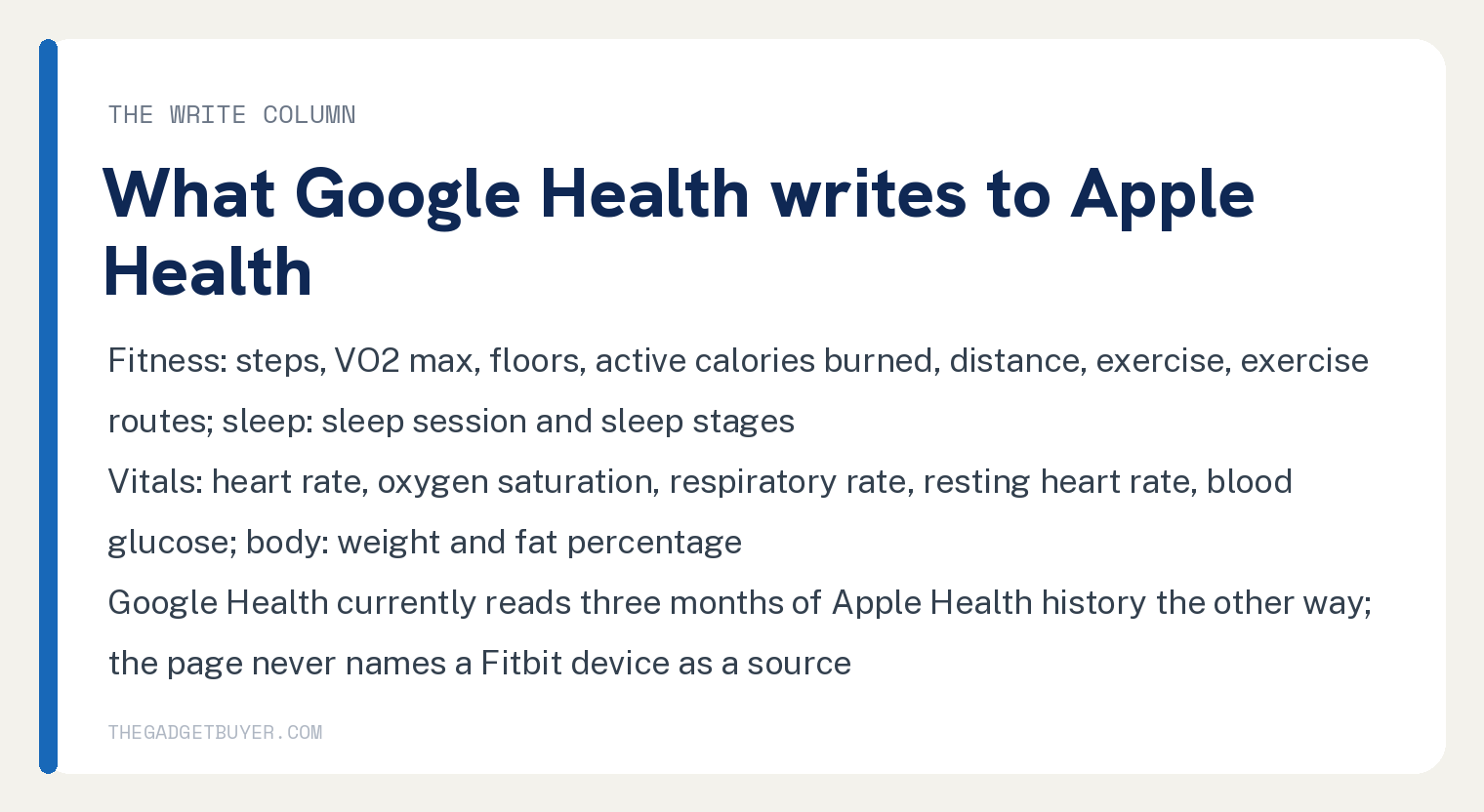
Google’s page carries a table with a read column and a write column for each category, the data types Google Health can read from Apple Health and the data types it can write to Apple Health. The write column is the one that matters when you want your Google Health numbers inside Apple Health.
On the fitness side the write column lists steps, VO2 max, floors, active calories burned, distance, exercise and exercise routes. Sleep writes the sleep session and sleep stages.
Under vitals the write column lists heart rate, oxygen saturation, respiratory rate, resting heart rate and blood glucose, five items, where the read column has seven. Body measurements writes weight and fat percentage, nutrition writes energy and macros plus water, and mental wellbeing writes mindfulness.
Temperature writes body temperature. Cycle health writes periods, flow, intermenstrual bleeding, cervical mucus, ovulation, sexual activity, moods and symptoms.
Google’s page never names a Fitbit device as the source of any of that data. It says the connection can “Share data from Google Health to Apple Health.” and lists the data types, and the one Fitbit line in its connect section is a link reading “Learn how to move your Fitbit Account to a Google Account”.
History runs the other way with a limit. Google Health currently reads three months of your Apple Health history, and Google’s page says support for more history “will be available later this year.”
Apple Health data not updating in Google Health
Google’s page puts its checks under the heading Apple Health data won’t update, and they run in this order. Update Google Health to the latest version first, since Google ties fresh data to the app being current.
Then check the third party apps connected to Apple Health and their permissions, open Apple Health and look at the permissions for every connected app, and, in Google’s words, “Confirm that your permissions for Google Health are still active.”
After that, look for a message about new data types. Google’s words: “If your data is still missing, on your Google Health app, check if Apple Health is still connected without messages that state” New data type available.
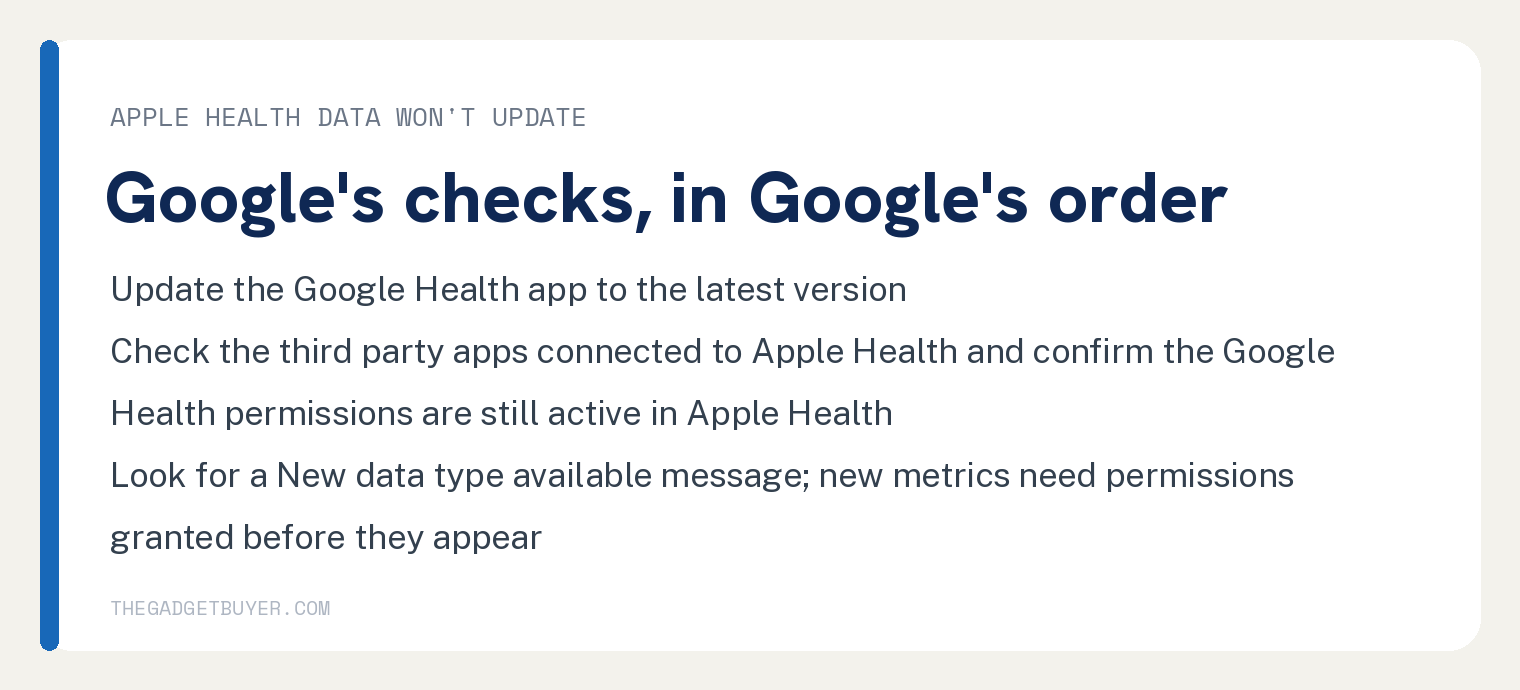
New metrics are off until you say yes. Google’s note says you review and grant permissions for new metrics before they show in the Google Health app.
The page lists one error message, “Couldn’t connect with Apple Health”, and one fix for it: try again later, with the iPhone or iPad connected to the internet.
Change what Google Health can see, or disconnect it
Permissions live in both apps. In Google Health, go to Connections, Apps and services, tap Apple Health under Connected, then tap Manage data and access.
In the Apple Health app, tap the Sharing tab, then Apps, then Google Health, and change the permissions there. Google’s page says the data types Google Health can access are controlled directly within the Apple Health app.
To disconnect, open Connections, Apps and services, tap Apple Health, scroll and tap Disconnect. A warning reading “Disconnect from Apple Health?” appears first.
Disconnecting stops new data and leaves the permissions in place unless you turn them off. Google’s wording: “New data will not sync, but permissions are still granted. To remove permissions, tap Open app”.
If Google Health itself is not getting data from your tracker, that is a different problem: see Fitbit not syncing with Google Health. A Strava connection that runs one way is covered in Strava not syncing with Google Health, and a missing sleep score in Google Health sleep score missing.
Where Google’s page stops
It prints no sync interval. The words every, minutes, hourly and background do not appear in the article.
Its steps are for an iPhone or iPad on iOS 16.4 or higher. The word Android does not appear in the article body.
Frequently asked questions
Does Google Health sync to Apple Health both ways?
Yes. Google’s page lists what Google Health reads from Apple Health and what it writes to Apple Health in a read column and a write column, and steps, sleep, heart rate and weight sit in both.
How much Apple Health history shows up in Google Health?
Google Health currently reads three months of your Apple Health history. Its page says support for more history “will be available later this year.”
Will my Fitbit steps show up in Apple Health?
Google’s page says the connection can share data from Google Health to Apple Health and lists steps in the write column. It never names a Fitbit device as a source, so this article does not promise that.
I reinstalled Google Health and Apple Health stopped syncing. Why?
That is expected on Google’s page: a reinstall means you reconnect Apple Health and grant the permissions again.