
How to Fix Verizon WiFi Calling Not Working on Your Phone
Fixing Verizon WiFi Calling not working starts with one question: will the feature not turn on, or does it turn on and then drop calls? If it won’t turn on, Verizon lists what activation needs: HD Voice, accepted terms, a US emergency address and the right connection for your phone.
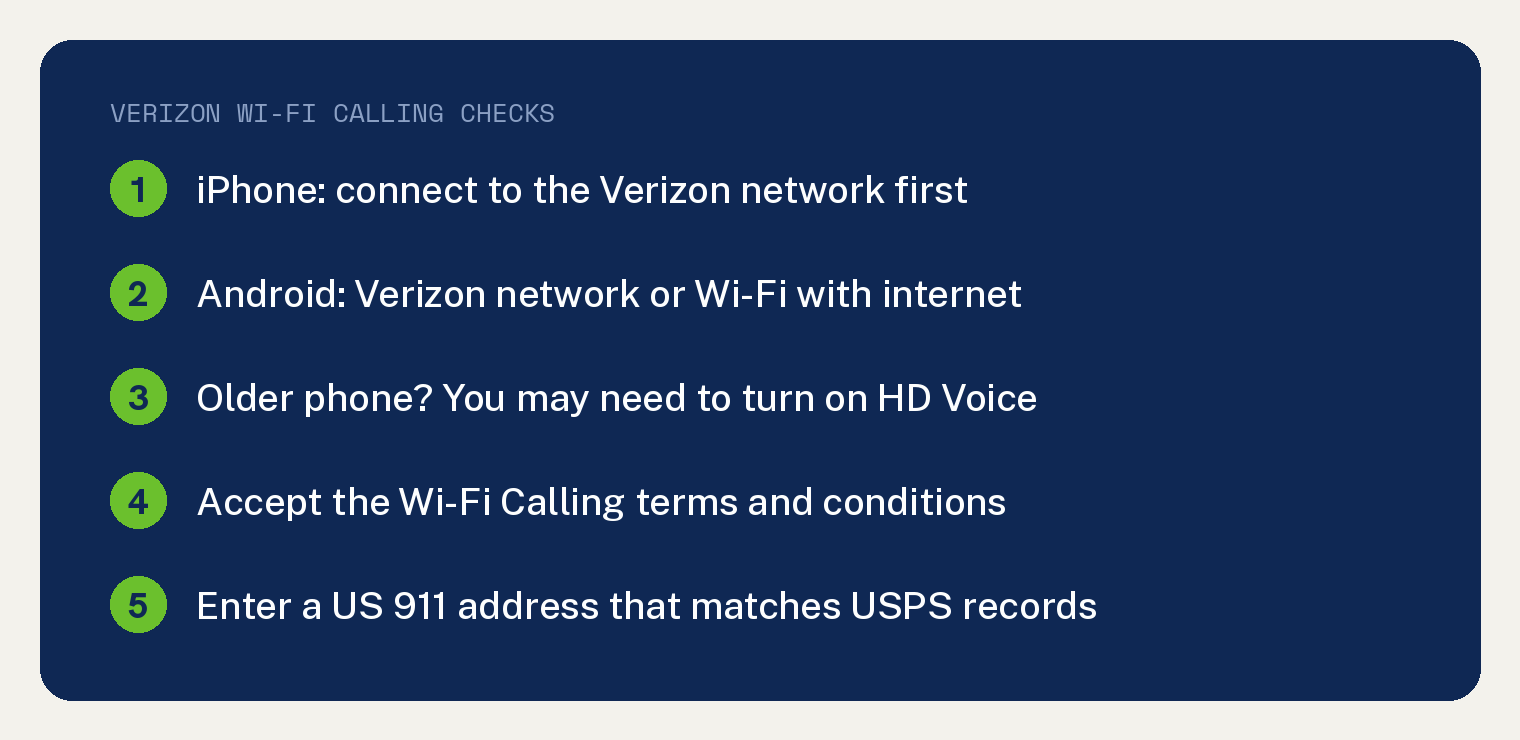
That connection depends on the phone. Verizon’s Wi-Fi Calling FAQs say an Android phone can activate on the Verizon network or over Wi-Fi with internet access, and an iPhone must be “connected to the Verizon network in the US.”
If it turns on but calls break up, Verizon points to the signal and bandwidth of your Wi-Fi.
Why won’t Verizon Wi-Fi Calling turn on?
Your phone has to meet Verizon’s activation requirements first. Verizon’s Wi-Fi Calling FAQs list them in this order:
- A connection. An Android phone needs the Verizon network or Wi-Fi with internet access, and an iPhone needs the Verizon network.
- HD Voice turned on for your phone.
- The Wi-Fi Calling Terms and Conditions, accepted when they appear.
- A US address for 911 calls, which you confirm, update or enter when it appears.
- For an iPhone, a Verizon connection inside the US. Verizon says iOS phones “can’t turn on Wi-Fi Calling outside of the US.”
So your first move depends on your phone. An Android owner can try activating over Wi-Fi with internet access, and an iPhone owner needs Verizon signal first.
To find the switch on Android, Verizon says to search your phone’s settings for Wi-Fi Calling. It adds that “many Android devices list Wi-Fi Calling under Call Settings.”
For the iPhone switch and the settings around it, see our guide to fixing Wi-Fi Calling settings on an iPhone.
Why won’t Wi-Fi Calling activate on my iPhone?
Get a strong Verizon signal, then try again. Verizon’s Wi-Fi Calling error message page says that if you can’t activate Wi-Fi Calling or update your E911 address, “make sure you have a strong signal from the Verizon wireless network.”
The page gives iPhone owners three checks:
- Look at the service icon for at least one bar of service.
- No cellular service? Make sure cellular data is on and Airplane Mode is off.
- Weak signal? Move to a spot where it is stronger.
Verizon’s error message page also notes that a phone “may sometimes lose signal” even when cellular is turned on.
How do I fix the Verizon E911 address for Wi-Fi Calling?
Enter an address that matches the US Postal Service’s records, then accept the terms. Verizon’s Validate Emergency Address page says “Your E911 Address must match the USPS registry.”
If what you type doesn’t match, Verizon offers an alternative address. Verizon’s Validate Emergency Address page also says Wi-Fi Calling doesn’t work until you accept the Emergency Address Terms and Conditions.
Verizon’s own step is to check the address with the USPS ZIP Code tool. If it still can’t be validated, you can enter an alternative address on Verizon’s website.
That alternate address has a limit. Verizon says any alternate address “used to activate the line or change the Device ID must be in the same ZIP code or county as the address that couldn’t be validated.”
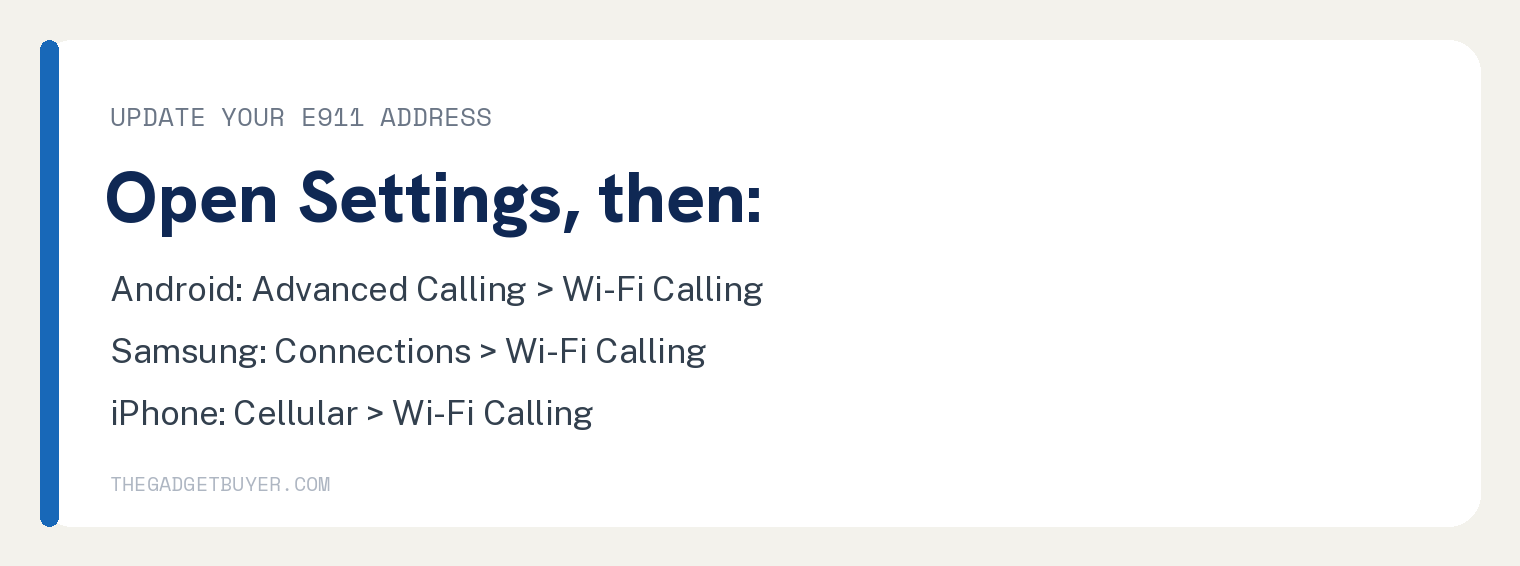
To change the address on the phone itself:
- Android: open Settings and tap Advanced Calling (or More, then Advanced Calling, if it isn’t there), then Wi-Fi Calling and Update Current Emergency Address. Edit the address if needed, then tap SAVE.
- Samsung: tap Connections in place of Advanced Calling, then follow the same steps.
- iPhone: open Settings, then Cellular, then Wi-Fi Calling, and pick a line if you use an eSIM with a second line. Tap Update Emergency Address, enter a valid address, accept the Terms and Conditions and tap CONTINUE.
Verizon’s Android and iPhone address pages both say that if validation fails, you are “prompted to enter a new address until a valid address is entered.”
Update the address whenever you change locations. Verizon says that if you aren’t at the registered address, a 911 call over Wi-Fi Calling “may not be routed to the closest emergency service provider.”
Do I need HD Voice for Verizon Wi-Fi Calling?
Yes. Verizon lists HD Voice as a requirement for activating Wi-Fi Calling, and it turns HD Voice on by default for its current smartphones.
An older phone may need HD Voice turned on by hand. Verizon notes that “most older Android devices list HD Voice under the Advanced Calling setting.”
Why does Verizon Wi-Fi Calling drop calls or sound bad?
Once Wi-Fi Calling is on, call quality rides on your Wi-Fi. Verizon’s FAQs say Wi-Fi Calling “relies on a wireless internet connection’s signal and bandwidth to route calls and messages to the Verizon network.”
Ask your internet provider for a Wi-Fi extender, which “can help increase your Wi-Fi router’s range”, or use Verizon’s Troubleshooter for help on your exact phone.
To test the connection itself, see how to tell whether the problem is your internet or your router. On Spectrum home internet, our page on Spectrum internet and Wi-Fi Calling answers whether the two work together.
Can I turn on Verizon Wi-Fi Calling outside the US?
Turn it on before you leave. Verizon’s error message page says HD Voice and Wi-Fi Calling “must be activated on the Verizon wireless network before you leave the country.”
Verizon’s error message page adds that the Federal E911 system does not register outside the US. For iPhones, Verizon’s FAQs say iOS phones can’t turn on Wi-Fi Calling outside the US.
What if Verizon Wi-Fi Calling still won’t work?
Get help for your exact phone from Verizon. Its FAQs point you to the Troubleshooter for Wi-Fi Calling help on your specific device.
To talk to a person, Verizon’s error message page says to call to speak to a representative.
If the trouble started right after a new phone, our guide on switching phones on Verizon covers the switch itself.
Sources
- Wi-Fi Calling at Verizon FAQs (Verizon Support)
- Wi-Fi Calling error message (Verizon Support)
- Validate Emergency Address (E911) (Verizon Support)
- Wi-Fi Calling Android Change Emergency Address (Verizon Support)
- Apple iPhone Change Emergency Address for Wi-Fi Calling (Verizon Support)