
Spectrum TV App Not Working on Samsung TV? Fixes in Order
Spectrum TV app not working on Samsung TV comes down to a few separate causes, and the fix depends on which one you have. If the app will not open or freezes, start on the TV side: restart the app, cold boot the TV, update its software, then delete and reinstall the app.
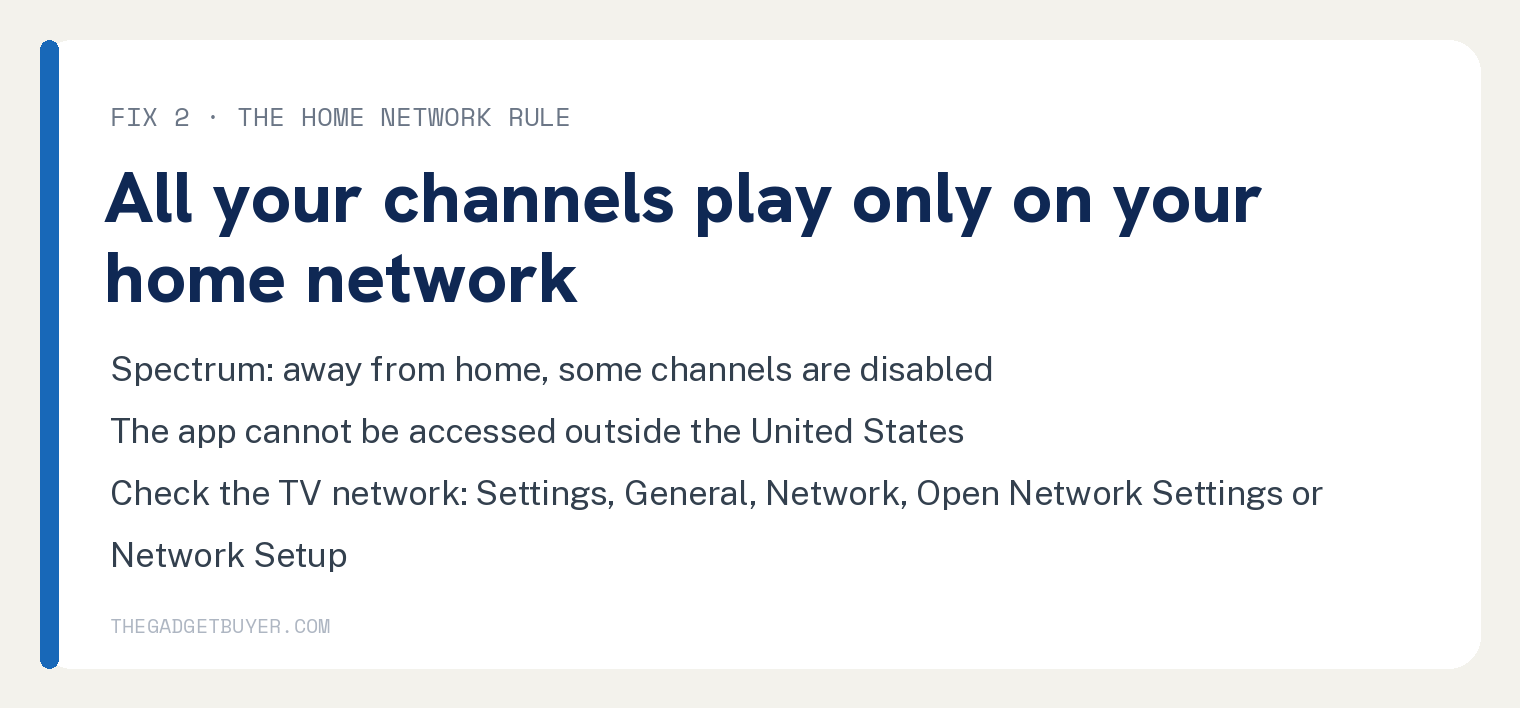
If the app opens but channels will not play, start with the connection. Spectrum says all the channels you subscribe to are available if you are on your home network, and away from home some channels are disabled.
Check that the TV is on your home WiFi before you touch any TV setting.
If the app is missing from the store, Spectrum supports it on Samsung Smart TV model years 2017 and newer. Match your case below, then run only the fixes it points to.
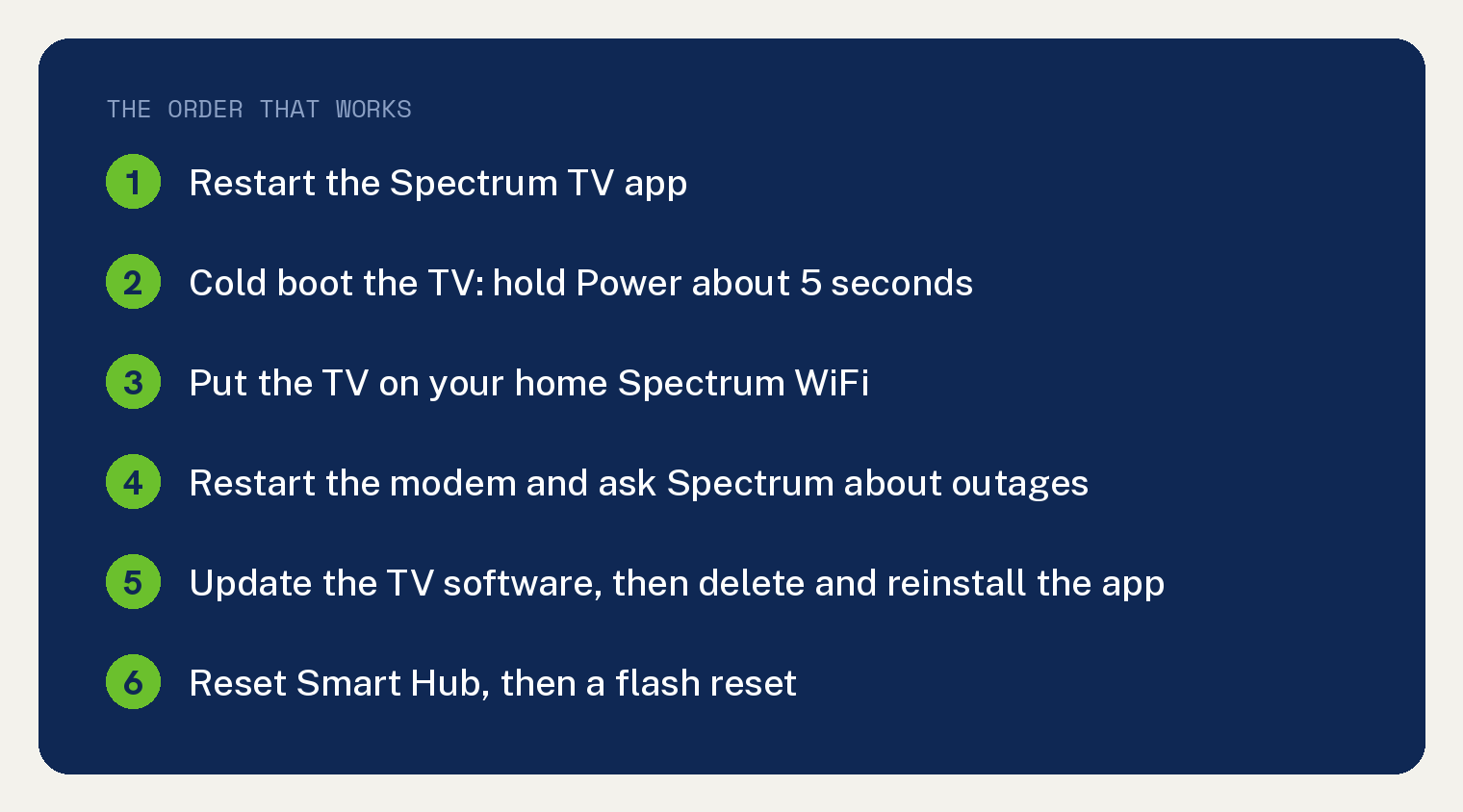
Find your case first
- The app will not open, freezes on the logo, or crashes. Start at Fix 1, then Fix 4, Fix 5 and Fix 6.
- The app opens but live channels will not play, or channels are missing. Start at Fix 2, then Fix 3.
- An error code is on the screen. Go to the error code table, then Fix 3 and Fix 1.
- You cannot find the Spectrum TV app in the Samsung app store. Skip to the missing app section.
- The app opens but rejects your sign in. Skip to the sign in section.
Fix 1: Restart the app, then cold boot the TV
Spectrum’s first step for any error it does not list is to restart the Spectrum TV app and try again. Back out of it and open it once more.
If nothing changes, power the TV down: Spectrum’s own troubleshooting page says to turn the device off and wait 60 seconds before turning it back on. On a Samsung TV, do that as a cold boot, because Samsung says turning the TV off only puts it in standby.
- Hold the Power button on the Samsung remote until the TV turns off and back on. Samsung says this takes about 5 seconds.
- Without the remote, unplug the TV from the wall for 30 seconds, then plug it back in.
- If your router shares that power strip, give it time to reconnect before you open the app.
Samsung lists the cold boot as the first move for an app that is freezing, not loading, missing or crashing, so open the Spectrum TV app again once the TV is back up.
Fix 2: Get the TV on your home network
Spectrum’s troubleshooting page puts it this way: all the channels you subscribe to are available if you are on your home network. If you are away from home, some channels are disabled.
Spectrum’s Samsung Smart TV page says the same thing in different words: programming varies based on whether you are connected to your in home WiFi network. Its Get started page opens the Samsung sign in steps with “make sure you’re at home and connected to the Spectrum network.”
Spectrum’s own code SLC 1000 puts the rule in one line: connect to your home Spectrum Internet service and try again.
I had Spectrum at a vacation home for about five years, and the network is the first thing I would check.
- On the TV remote, select Settings, then General, then Network, then Open Network Settings or Network Setup. Spectrum gives that path on its Samsung Smart TV network connection page and says the exact steps vary by model.
- Confirm the network name matches your Spectrum WiFi. If the TV is on a different network, choose your Spectrum WiFi, enter the password and reopen the app.
- If your Spectrum WiFi does not appear, check the band. Spectrum says the 2018 NU7100, NU710D, NU7200, NU7300 and NU730D models see only 2.4 GHz networks and will not detect 5 GHz. Our guide to Spectrum’s 2.4 GHz and 5 GHz networks covers picking the band.
Spectrum also says the app and SpectrumTV.net cannot be accessed outside the United States.
If you are at home and only certain programs are blocked, Spectrum says to check your settings, because parental controls may be turned on in the app by mistake. You change that under Settings in the app.
Fix 3: Restart the modem and check for an outage
Spectrum’s error code page sends connection errors to its WiFi troubleshooting, and its Internet troubleshooting page gives the modem restart. The error code page also says you can chat with Spectrum to find out if there is a service outage.
- Unplug the power cord from the modem and wait at least one minute. Spectrum says only coax customers should do this; fiber customers should not touch the back of the fiber modem.
- Unplug the WiFi router too. Plug the modem back in, wait at least two more minutes for its lights to come on, then reconnect the router and give it two minutes.
- If you would rather not touch the equipment, sign in to your Spectrum account, open Services, then Internet, choose your equipment and select Restart Equipment.
- Open the app on the TV once the modem is back online.
- If it still fails, chat with Spectrum to ask whether there is an outage before you reinstall anything.
If the internet itself keeps cutting out, the app will keep failing no matter what you do on the TV. Our guide to Spectrum internet that keeps dropping covers that, and evening only buffering is its own problem, covered in why Spectrum internet slows down at night.
Fix 4: Update the TV software
Spectrum’s troubleshooting page, under its heading for a program freezing or loading slowly, says to make sure you have the latest version of the app, then check that you have installed all updates for your device’s operating system. Samsung puts a software update second in its ladder for an app that will not load.
- On the TV, open Settings, select Support, select Software Update, then select Update Now.
- If an update is available it installs on its own and the TV reboots. Samsung says updates take a few minutes, so do not turn the TV off while it runs.
- Open the Spectrum TV app again.
Samsung notes that video and audio settings may reset to their defaults after an update, so recheck your picture mode afterward.
Fix 5: Delete the Spectrum TV app and install it again
Spectrum says that when turning the device off did not help, uninstall and then reinstall the app. Have your Spectrum username and password ready, because Samsung says deleting or reinstalling a third party app signs you out.
- On the TV, select Apps, then the Settings icon in the top right corner. Spectrum’s own path for 2016 to 2020 models is the same: Home button, Apps, Settings.
- Find Spectrum TV and select Delete, then Delete again to confirm. If Delete is grayed out, Samsung says it is a recommended app, so select Reinstall instead.
- Press Return on the remote, select the Search icon in the top right corner, type Spectrum TV, select it, then select Install.
- Open the app and sign in with your Spectrum username and password.
Fix 6: Reset Smart Hub
Samsung lists this last among its regular steps. It signs the TV out of your Samsung account and every app, so gather all your app logins first.
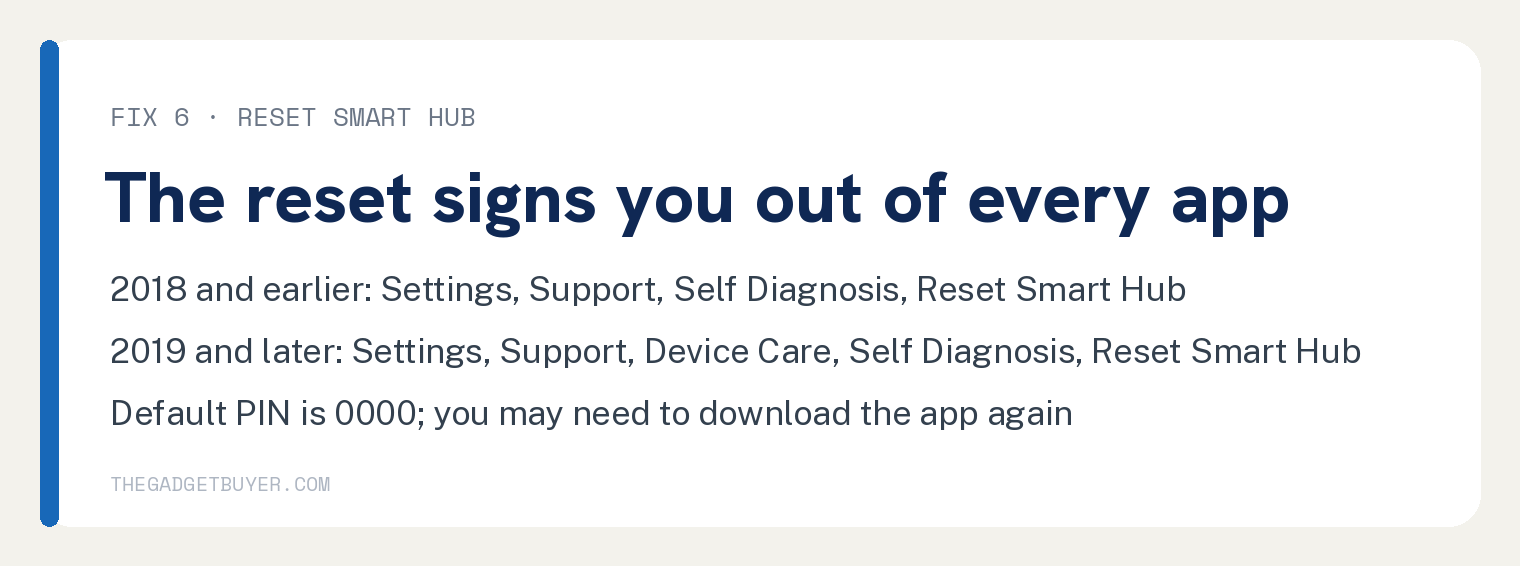
- 2018 and earlier TVs: open Settings, select Support, select Self Diagnosis, then select Reset Smart Hub.
- 2019 and later TVs: open Settings, select Support, select Device Care, select Self Diagnosis, then select Reset Smart Hub.
- Enter the TV PIN if asked. Samsung says the default PIN is 0000.
- Run through the TV setup again. Samsung says you may need to download the app again after the reset.
If Spectrum TV still fails after this step, move on to the flash reset below.
Fix 7: Flash reset, then contact Spectrum
Samsung lists a flash reset after the Smart Hub reset.
- With the TV on, hold the physical power button on the TV for 5 seconds, then release.
- Hold Power on the remote for 5 seconds, then release.
- Wait 30 seconds to a minute while the TV power cycles.
Samsung says the flash reset worked only if you see the initial setup screen afterward. Set the TV up, install the app again and test it.
If the app still fails after all of that, Samsung says the TV is ruled out and the app developer is responsible for compatibility. Spectrum’s page ends the same way: if you are still having issues, contact Spectrum.
An error code is on the screen
Spectrum’s error code page has a section just for the Samsung Smart TV app, and the eleven codes it lists are below with Spectrum’s instruction for each. Spectrum prints each code with a hyphen between the letters and the numbers; the table drops it.
| Code | Spectrum’s title | What Spectrum says to do |
|---|---|---|
| SLP 1035 | Program Unavailable | The program is not available right now. Select a different program or try again later. |
| SLP 999 | Unable to Complete Request | Wait a few minutes, then restart the app and try again. |
| SUC 1002 | Service Temporarily Unavailable | Wait a few minutes, then restart the app and try again. |
| SLP 1999 | Unable to Complete Request | Wait a few minutes, then restart the app and try again. |
| SLC 1001 | Unable to Complete Request | Make sure you are on your in home WiFi network, then restart the app and try again. |
| SVP 1108 | Unable to Play | Restart the app and try again. |
| SLP 1002 | Channel Unavailable | The channel is not available right now. Select a different channel or try again later. |
| SCF 1003 | Check Connection | Check that you are connected to the internet, restart the app, and try again. |
| SUC 1107 | Upgrade to Watch Live TV | Live TV is not in your subscription. Call Spectrum at the number on its error code page to upgrade. |
| SCH 1002 | Unable to Complete Request | Wait a few minutes, then restart the app and try again. |
| SLC 1000 | Connect to Spectrum Internet | Connect to your home Spectrum Internet service and try again. |
Codes SLC 1001 and SLC 1000 carry the home network rule from Fix 2. For the codes that say to wait a few minutes, an outage check (Fix 3) is the next move if the wait does not clear it.
For a code that is not in the table, Spectrum’s own list runs in this order.
- Restart the Spectrum TV app and try again.
- Make sure you are connected to your in home WiFi network (Fix 2 above).
- Unplug the TV, let it power down completely, wait a few minutes, then plug it back in.
- Make sure you are signing in with the correct username and password.
- Chat with Spectrum to ask whether there is a service outage.
The Spectrum TV app is missing from the Samsung app store
Spectrum supports the app on Samsung Smart TV model years from 2017 to present, including Orsay and Tizen operating system models. A 2016 or older Samsung TV is below that floor, and Spectrum’s Samsung Smart TV page points to Samsung’s website for the full list of compatible models.
Samsung says only apps available in its App store can be installed on the TV. If a search on the TV turns up nothing, run the steps below.
- Run Fix 4 first. Samsung says access to new apps is occasionally added through software updates.
- From the Home screen select Apps, then the Search icon in the top right corner, and search for Spectrum TV by name. Spectrum says to find the app through the Samsung Smart Hub.
- If the store will not download anything at all, that is a store problem. Spectrum sends download problems to Samsung, and our guide to a Samsung Smart TV that will not download apps covers it.
- If the app never appears, watch Spectrum through another device plugged into the TV. Spectrum’s list includes Roku (3rd generation and up) and Apple TV (4th generation and up, or 4K). It also lists Fire TV devices with Android 7.1 or later, Google TV devices with Android 10 or later, and Xbox One.
- Our guide to adding the Spectrum TV app to a Roku walks through the Roku route.
The app rejects your sign in
Spectrum’s pages cover these sign in causes.
- You typed it wrong. Spectrum’s error code page says to make sure you are signing in with the correct username and password.
- You changed your Spectrum password, for example while paying a bill on Spectrum.net. Spectrum says you then need to update it for the Spectrum TV app.
- You forgot the login. Go to Spectrum.net and select Forgot Username or Password?
- You are a new customer. Spectrum’s Get started page for Samsung says to wait 24 to 72 hours after creating a Spectrum.net username before it works with any TV app. Its general troubleshooting page says up to 60 minutes, so try sooner, and wait out the longer window before you call.
- Your account is behind. Spectrum lists an account in good standing among the basic requirements for the service, so bring the account current before you try the app again.
Samsung adds one requirement of its own: a Samsung Account is required for streaming apps on the TV. Sign in to that as well if the TV asks.
FAQ
Can I watch every channel on a Samsung TV away from home?
No. Spectrum says all the channels you subscribe to are available if you are on your home network, and away from home some channels are disabled.
Does the Spectrum TV app work on a Samsung TV outside the United States?
No. Spectrum says the app and SpectrumTV.net cannot be accessed outside the United States, and its Samsung Smart TV page says the app will not work internationally.
Will deleting and reinstalling the app erase anything?
Samsung says deleting or reinstalling a third party app signs you out, so you sign back in with your Spectrum username and password. A Smart Hub reset goes further and signs you out of your Samsung account and every app.
Which Samsung TVs run the Spectrum TV app?
Spectrum says model years 2017 to present, including Orsay and Tizen models, and its Samsung Smart TV page points to Samsung’s website for the full compatible list. Check your model number there.
Does a bigger Spectrum internet plan fix the app?
Spectrum’s stated minimum for the service is 10 Mbps, and Samsung’s steps for an app that will not load all happen on the TV: cold boot, software update, reinstall, then a Smart Hub reset. If channels play but keep buffering on a busy evening with several streams running, our guide to which Spectrum internet plan you need covers sizing the tier.
Why is there no surround sound from the app?
Spectrum says the Spectrum TV app does not carry a 5.1 digital audio signal for 5.1 surround sound. Spectrum also says the Samsung version lacks the Remote DVR Manager, Spectrum Receiver remote control and the Spectrum Guide.
Sources
- Spectrum: Spectrum TV App and SpectrumTV.net troubleshooting
- Spectrum: Troubleshooting Error Codes on the Spectrum TV App and SpectrumTV.net
- Spectrum: Spectrum TV App for Samsung Smart TVs: Get started
- Samsung: An app will not work on my Samsung TV or projector
- Samsung: Use apps on your Samsung Smart TV and projector