
Which iPad Should I Buy Comes Down to Four Uses
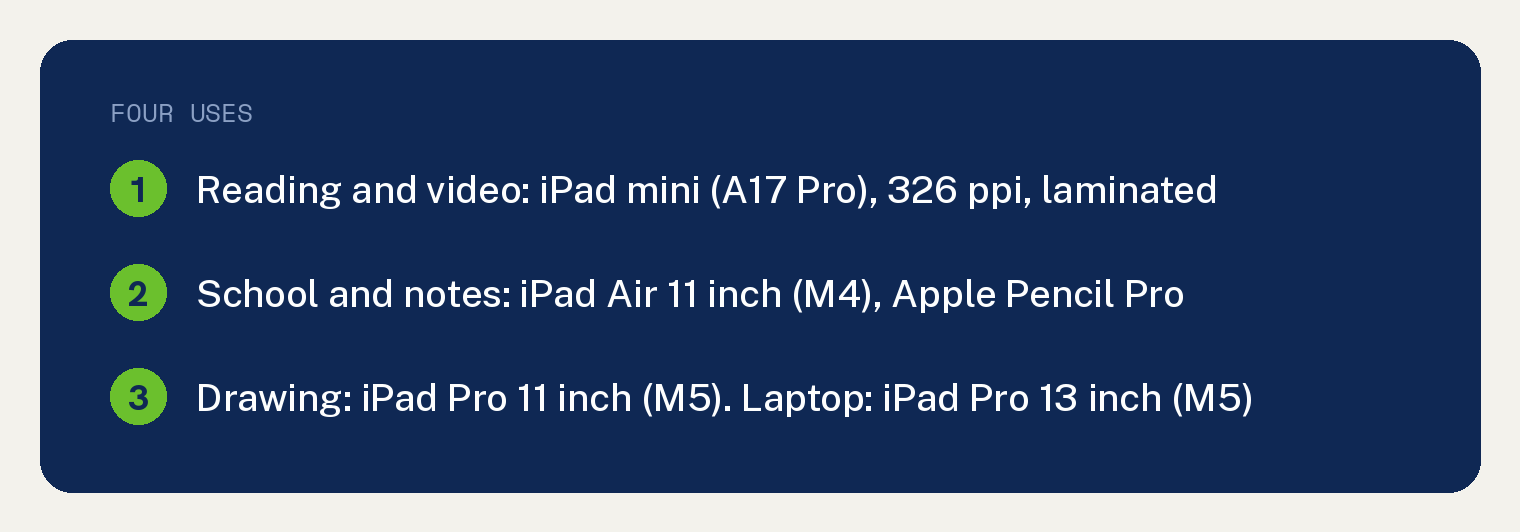
Which iPad should I buy comes down to what you will do with it. Our pick for reading and video is the iPad mini (A17 Pro), for school and notes the “iPad Air 11-inch (M4)”, for drawing the “iPad Pro 11-inch (M5)”, and for replacing a laptop the “iPad Pro 13-inch (M5)”.
Every spec in this guide is Apple’s, read from Apple’s compare page on October 13, 2026, and every pick is ours. Nothing here was tested by hand.
Apple’s page lists six models under “Current iPad models” and puts the rest under “More iPad models”. This guide covers those six and nothing older.
Which iPad for reading and video
Our pick for reading and video is the iPad mini (A17 Pro), and the reason is Apple’s own numbers. Its Weight (Wi-Fi) row prints “0.65 pound”, against “1.02 pounds” for the “iPad Air 11-inch (M4)” and “1.05 pounds” for the iPad (A16).
Apple’s page adds “Size and weight vary by configuration and manufacturing process.” Its footnote on screen size reads “the 8.3-inch iPad mini is 8.3 inches” and “Actual viewable area is less.”
The mini’s screen prints “2266‑by‑1488 resolution at 326 ppi”, the highest ppi figure in the six current columns. The other five print 264 ppi.
Apple prints “Fully laminated”, “Antireflective coating” and “Wide color (P3)” for the mini, and the same three lines for the two Air and two Pro columns. The iPad (A16) cell is empty in the first two rows, and its Summary Display: Color cell prints “sRGB color”.
Video on a bigger screen points at the “iPad Air 13-inch (M4)” as the runner up. Apple’s footnote prints “the 13-inch iPad Air is 12.9 inches”, and the spec that separates it from the mini is weight, at “1.36 pounds” on the same Weight (Wi-Fi) row.
For sound, the Audio row prints “Four speaker audio” for the two iPad Pro columns and “Landscape stereo speakers” for the Air, iPad (A16) and mini columns.
Battery does not separate the six. All six current columns print “Up to 10 hours of surfing the web on Wi-Fi or watching video”, with Apple’s note “Battery life varies by use and configuration.”
Which iPad for school and notes
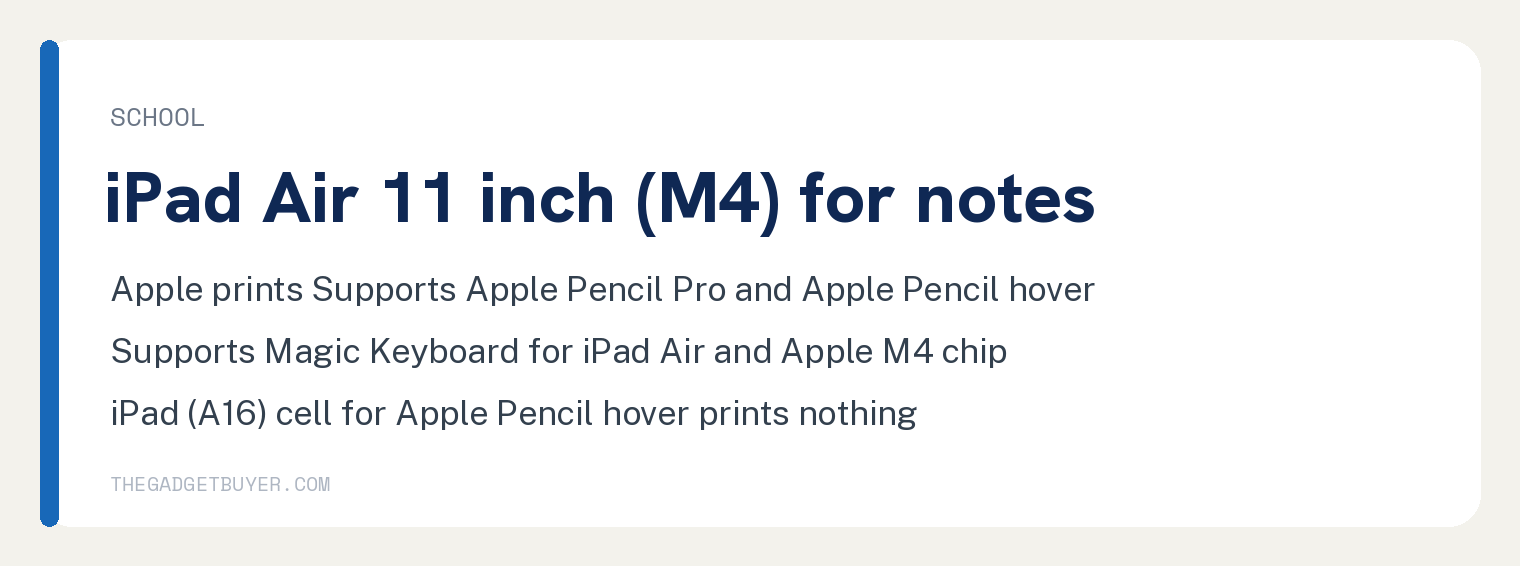
Our pick for school and notes is the “iPad Air 11-inch (M4)”, and the reason is three Apple lines: “Supports Apple Pencil Pro”, “Apple Pencil hover” and “Supports Magic Keyboard for iPad Air”.
The Air’s Pencil feature cell includes “Pressure sensitivity”, “Squeeze”, “Barrel roll” and “Haptic feedback”. The same column also prints “Supports Apple Pencil (USB‑C)”.
Apple lists the Air at “1.02 pounds” on the Weight (Wi-Fi) row, with the same note that “Size and weight vary by configuration and manufacturing process.” Inside is the “Apple M4 chip” with an “8-core CPU” and “12GB unified memory”.
Storage runs 128GB, 256GB, 512GB and 1TB for the Air columns, and Apple adds “Actual formatted capacity is less and varies due to many factors.”
The runner up is the iPad (A16), and the row that separates it for notes is Apple Pencil hover. That cell is empty for the iPad (A16), where the other five current columns print “Apple Pencil hover”.
Its Pencil lines read “Supports Apple Pencil (USB‑C)” and “Supports Apple Pencil (1st generation) using USB‑C to Apple Pencil Adapter”, and Apple’s footnote reads “Requires USB-C to Apple Pencil Adapter.” For a closer look at those two models, read our iPad vs iPad Air comparison.
Which iPad for drawing
Our pick for drawing is the “iPad Pro 11-inch (M5)”, and the reason is the display rows. Apple prints “Tandem OLED”, “ProMotion technology” and “Ultra Retina XDR display” for the two iPad Pro columns, and the ProMotion technology cell is empty for the other four current columns.
Searched on October 13, 2026, the strings 120Hz, 60Hz and refresh rate return zero on Apple’s compare page, so this guide gives no refresh rate number.
The Pencil lines match the Air: “Supports Apple Pencil Pro”, “Apple Pencil hover”, “Pressure sensitivity”, “Squeeze”, “Barrel roll” and “Haptic feedback”. Apple also prints “Nano-texture display glass option on 1TB and 2TB models” for the two Pro columns.
The 11 inch size over the 13 is a weight call for a tablet held in one hand. The Weight (Wi-Fi) row prints “0.98 pound” for the 11 inch Pro and “1.28 pounds” for the “iPad Pro 13-inch (M5)”, and Apple notes “Size and weight vary by configuration and manufacturing process.”
The runner up is the “iPad Air 13-inch (M4)”, with the same Pencil Pro and hover lines on a “Liquid Retina display” that Apple’s footnote puts at “12.9 inches”. The spec that separates it is the ProMotion technology row, which prints nothing in the Air cell.
The iPad (A16) cell in the first Pencil feature row includes “Tilt sensitivity”, “Low latency” and “Pixel-perfect precision”, and searched on October 13, 2026, the words Pressure sensitivity return zero inside that one cell on Apple’s compare page. The iPad (A16) cell in the second Pencil feature row, the row under “Supports Apple Pencil (1st generation) using USB‑C to Apple Pencil Adapter”, prints “Pressure sensitivity” and “Pairs and charges via Lightning”.
Which iPad can replace a laptop
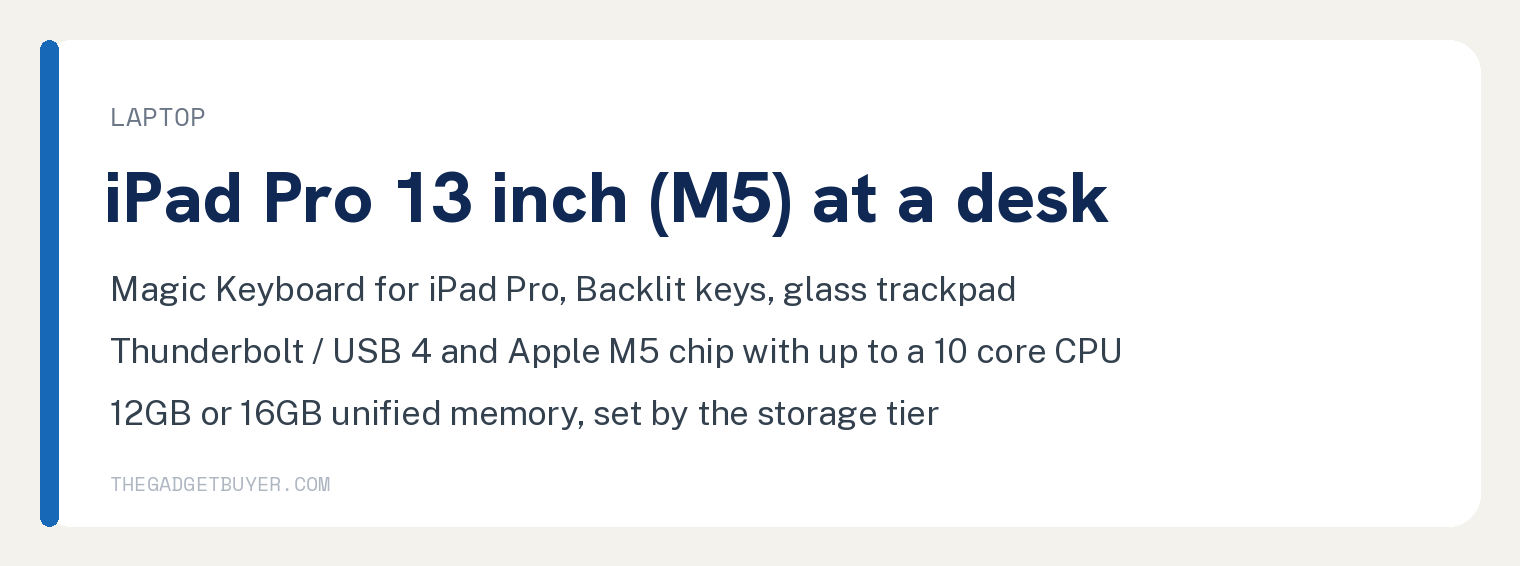
Our pick for replacing a laptop is the “iPad Pro 13-inch (M5)”, and the reason is the keyboard and connector rows. Apple prints “Supports Magic Keyboard for iPad Pro”, “Backlit keys” and “Larger glass trackpad with haptic feedback” for the two Pro columns, and the Backlit keys cell is empty for the other four current columns.
The Summary Connector row prints “USB‑C connector with support for Thunderbolt / USB 4” for the Pro columns and “USB‑C connector” for the Air, iPad (A16) and mini columns.
Inside, Apple lists the “Apple M5 chip” with “Up to 10-core CPU”. Memory follows storage: “Models with 256GB or 512GB storage:” carry “12GB unified memory”, and “Models with 1TB or 2TB storage:” carry “16GB unified memory”.
Sign in is “Face ID” on the Pro columns, “Enabled by TrueDepth camera for facial recognition”. The other four current columns print “Touch ID”, with a “Fingerprint identity sensor built into the top button”.
The 13 inch size over the 11 is a screen call for desk work. Apple’s footnote prints “the 13-inch iPad Pro is 13 inches” and “the 11-inch iPad Pro (M4 and M5) is 11.1 inches”, and adds “Actual viewable area is less.”
The runner up is the “iPad Air 13-inch (M4)” with the “Apple M4 chip”, an “8-core CPU” and “12GB unified memory”. Its keyboard line is “Supports Magic Keyboard for iPad Air” with a “Trackpad” and a “USB‑C connector for pass-through charging”, and the spec that separates it is the Backlit keys row, which prints nothing in the Air cell.
Apple’s compare page prints no Stage Manager or external display row, so this guide does not rank the models on multitasking. Searched on October 13, 2026, the strings Stage Manager, external display, multitask and Split View return zero on that page.
Which iPad should I buy for each use
| What you will do | Our pick | The Apple spec that decides it |
|---|---|---|
| Reading and video | iPad mini (A17 Pro) | “0.65 pound” on the Weight (Wi-Fi) row, 326 ppi |
| School and notes | “iPad Air 11-inch (M4)” | “Supports Apple Pencil Pro”, “Apple Pencil hover”, “Supports Magic Keyboard for iPad Air” |
| Drawing | “iPad Pro 11-inch (M5)” | “Tandem OLED”, “ProMotion technology”, “0.98 pound” |
| Laptop replacement | “iPad Pro 13-inch (M5)” | “Thunderbolt / USB 4”, “Backlit keys”, “Up to 10-core CPU” |
| No single use | “iPad Air 11-inch (M4)” | “Supports Apple Pencil Pro”, “Apple Pencil hover”, “Fully laminated” in the Air 11 and both Pro columns; iPad (A16) hover and lamination cells empty |
Weight figures come from Apple’s Weight (Wi-Fi) row, and Apple notes “Size and weight vary by configuration and manufacturing process.”
What Apple’s compare page does not tell you
The page prints no pick by use. Searched on October 13, 2026, the strings best for, recommend, which iPad, for students, for drawing, reading and laptop return zero on Apple’s compare page, and its page top prints “Get help choosing.” beside the link “Chat with a Specialist”.
The page prints no battery capacity. Searched the same day, the strings mAh, watt hour and battery capacity return zero there, so battery cannot separate the six models in this guide.
The page prints no refresh rate number and no Stage Manager, external display or Split View row, as the drawing and laptop sections above record.
The page prints nothing in the iPad (A16) cells for Fully laminated display, Antireflective coating, Apple Pencil hover and Apple Intelligence. This guide reports the empty cell and nothing more, and does not state Apple’s position on those four for that model.
Questions readers ask
Which iPad should a student buy?
Our pick is the “iPad Air 11-inch (M4)”, because Apple prints “Supports Apple Pencil Pro”, “Apple Pencil hover” and “Supports Magic Keyboard for iPad Air” for it, with storage from 128GB to 1TB. Apple adds “Actual formatted capacity is less and varies due to many factors.”
The Apple Intelligence row prints “Apple Intelligence is the personal intelligence system” for the Air, Pro and mini columns, and the footnote on the Summary Apple Intelligence row for those five columns reads “Apple Intelligence is available with Siri and device language set to Chinese (Simplified), Chinese (Traditional), Danish, Dutch, English, French, German, Italian, Japanese, Korean, Norwegian, Portuguese, Spanish, Swedish, Turkish, or Vietnamese. Some features may not be available in all regions or languages.” The iPad (A16) cell is empty in both rows.
Which iPad works with Apple Pencil Pro?
Five of the six current columns print “Supports Apple Pencil Pro”: the two iPad Pro, the two iPad Air and the iPad mini (A17 Pro). The iPad (A16) column prints “Supports Apple Pencil (USB‑C)” and “Supports Apple Pencil (1st generation) using USB‑C to Apple Pencil Adapter”.
Searched on October 13, 2026, the string Apple Pencil (2nd generation) returns zero inside the six current columns of the two Apple Pencil rows on Apple’s compare page, so this guide does not say which current iPad takes that Pencil.
Is the iPad mini good for reading?
Yes, on Apple’s numbers. The mini prints “0.65 pound” on the Weight (Wi-Fi) row, “2266‑by‑1488 resolution at 326 ppi”, “Fully laminated” and “Antireflective coating”, and Apple notes “Size and weight vary by configuration and manufacturing process.”
For typing, the mini’s Summary Keyboard cell prints “Supports Bluetooth keyboards”, and its Tech Specs Keyboards cell is empty. If a keyboard will not pair, see our iPad Bluetooth not connecting guide.
Do I need cellular on an iPad?
All six current columns print a “Wi‑Fi + Cellular” configuration with “5G (sub-6 GHz)”, and Apple’s footnote on that 5G line reads “Data plan required. 5G, Gigabit LTE, Gigabit-class LTE, LTE Advanced, LTE, and Wi-Fi calling are available in select markets and through select carriers.” The eSIM line reads “Supports advanced eSIM technology for more convenience and security (not compatible with physical SIM cards)”, and the footnote Apple attaches to it in each of the six current columns begins “Not all carriers support eSIM. See your carrier for more details.”
Whether you need it is a separate question, and our guide on whether you need cellular on an iPad covers it.