
How to Turn Off Text Messaging on an iPad: Three Switches
To turn off text messaging on an iPad, start on the iPhone: open Settings, tap Apps, tap Messages, tap Text Message Forwarding, and switch the iPad off in that list. If the iPad uses Messages in iCloud, turn that off on the iPad too, and turn off iMessage on the iPad only if you want blue bubble messages gone as well.
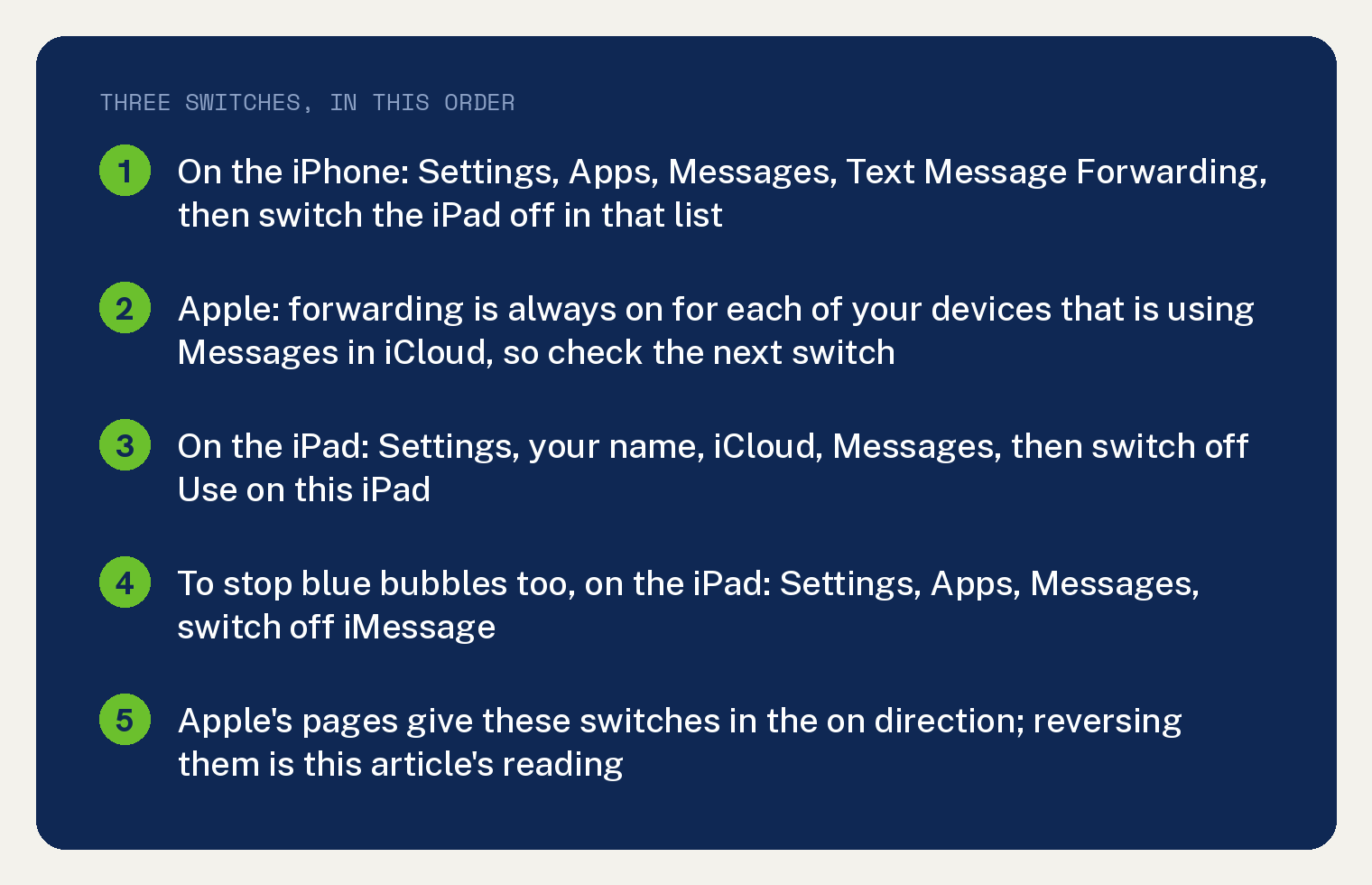
Apple’s two pages cited below describe each of these switches in the on direction, so turning them off is the same switch moved the other way. That reading is this site’s, and the sections below name the switch Apple gives at each step.
Texts reach an iPad two ways, and the iPad User Guide names both: “Using iMessage with others who also use iMessage” and “With SMS, MMS, and RCS messages forwarded from your iPhone.” The green ones come through the iPhone, and that is where the first switch lives.
How do I stop my iPhone texts from going to my iPad?
Switch the iPad off in the iPhone’s Text Message Forwarding list. Apple’s steps for that list, written for turning a device on, read: “On your iPhone, open Settings, tap Apps, then tap Messages.” then “Tap Text Message Forwarding.”
The list is a toggle per device. Apple’s line is “Tap to turn on each device that you want to allow to send and receive messages from this iPhone.”, and for the iPad you move its toggle the other way.
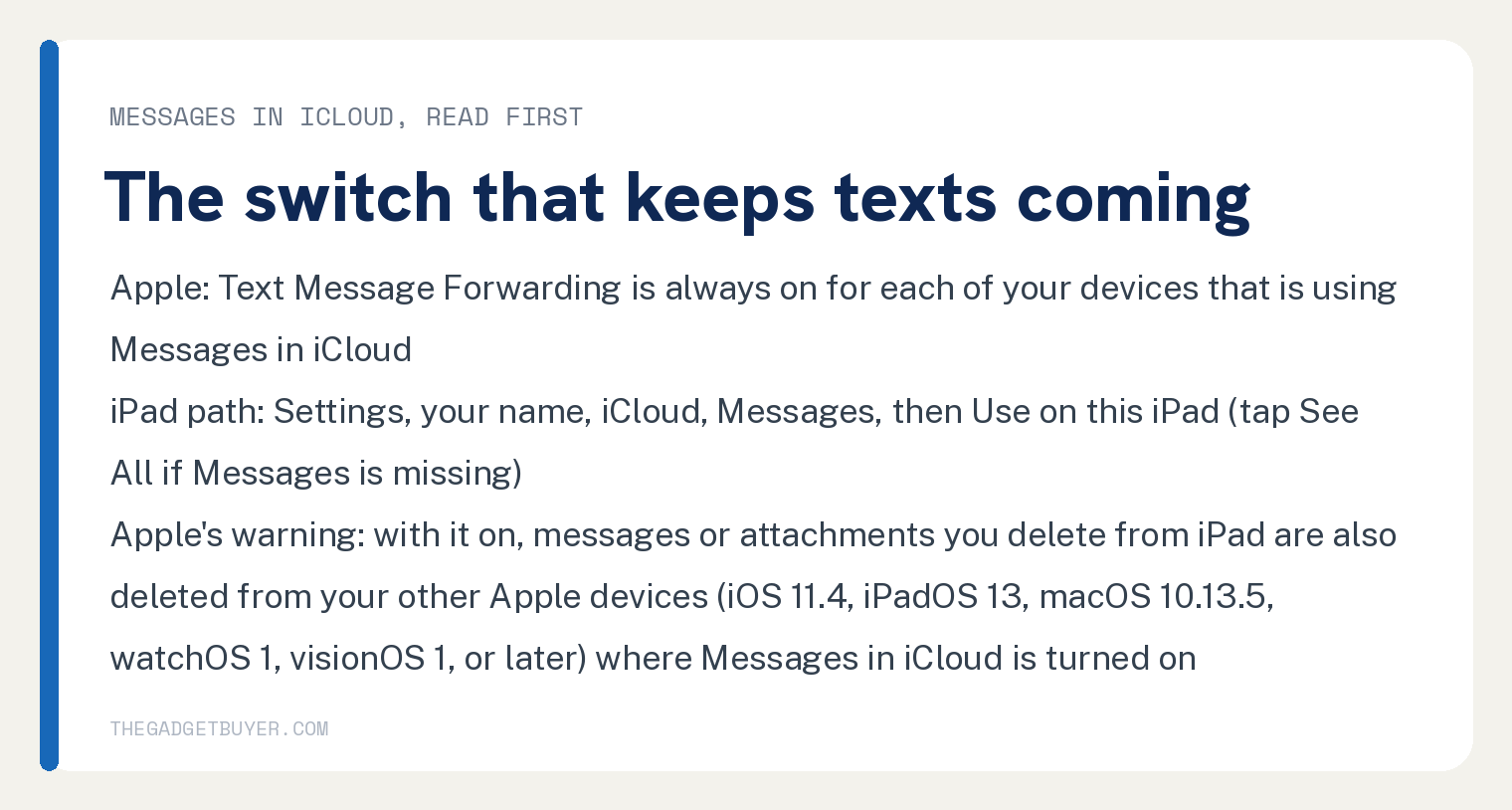
One condition sits right under that step: “(Text Message Forwarding is always on for each of your devices that is using Messages in iCloud.)” So an iPad that uses Messages in iCloud keeps getting the texts until that is switched off as well, which is the next section.
If the Text Message Forwarding row is missing on the iPhone, Apple’s note is: “(If you don’t see it, turn iMessage off and back on, then tap Send & Receive and sign in again.)”
Do I need to turn off Messages in iCloud on the iPad?
Only if the iPad has it on. Apple’s forwarding page says Text Message Forwarding “is built into Messages in iCloud”, and the iPad guide explains what it does: “When you sign in to the same Apple Account and turn on Messages in iCloud on another device, your conversations show up there too.”
The switch is on the iPad. Apple’s path, again written for turning it on: “Tap your name, tap iCloud, then tap Messages.” then “Turn on “Use on this iPad” (if it’s not already turned on).”
Move that switch off.
If the Messages row is not there, Apple says to “tap See All in the Saved to iCloud section.”
Read this warning before you touch anything in that screen, because it is the one place these pages say messages get deleted: “After you turn on Messages in iCloud, any messages or attachments you delete from iPad are also deleted from your other Apple devices (iOS 11.4, iPadOS 13, macOS 10.13.5, watchOS 1, visionOS 1, or later) where Messages in iCloud is turned on.”
Turning the switch off is a different action from deleting, and neither page says what happens to threads already on the iPad. Leave the threads alone until you know they are safe on the iPhone.
How do I turn off iMessage on the iPad?
Go to Settings on the iPad, tap Apps, tap Messages, and move the iMessage switch off. The guide’s steps read “Go to the Settings app on your iPad.” then “Tap Apps, then tap Messages.” then “Turn on iMessage.”, and you are doing the reverse.
This is the iMessage switch, the route Apple ties to blue bubbles. Skip it if you still want iMessage on the iPad and only wanted the iPhone’s green texts to stop.
A lighter option on the same screen is Send & Receive. Apple says that is where you “select which of your phone numbers and email addresses you want to use with iMessage”, so you can leave iMessage on and take your phone number off the iPad’s list.
Which switch should I use?
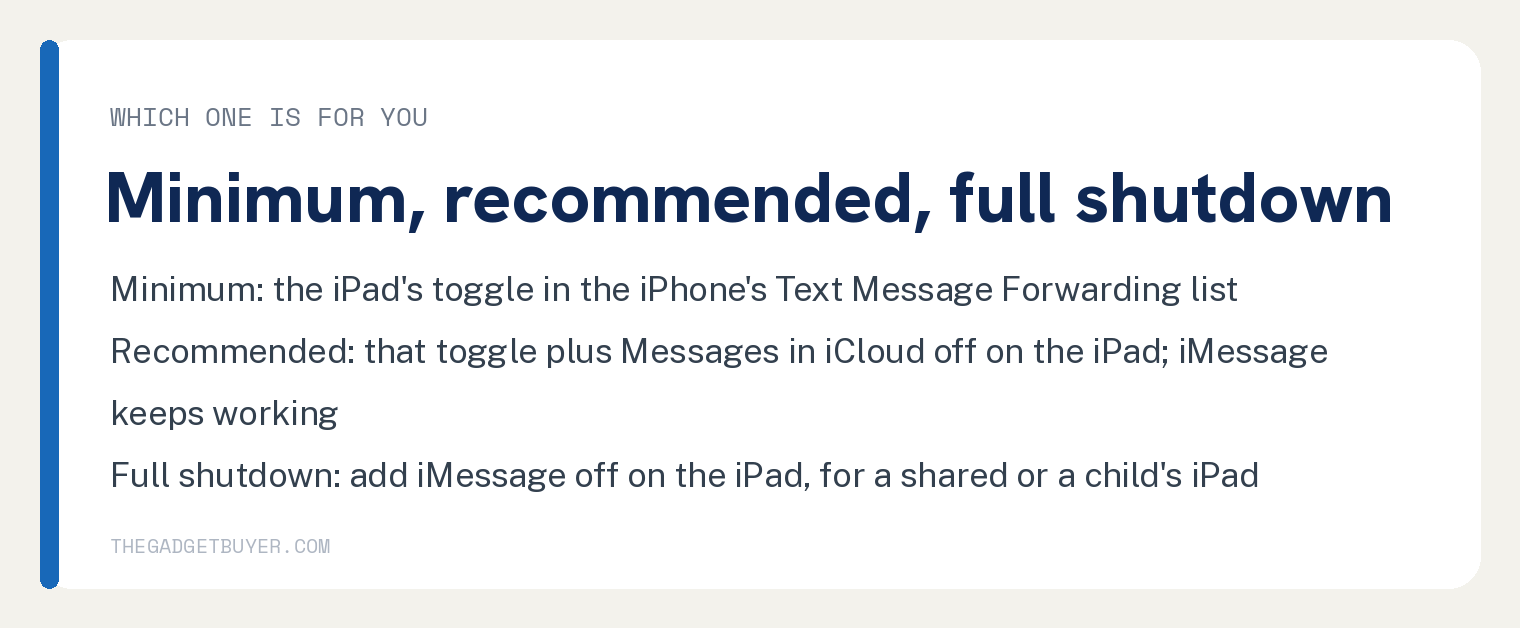
The bare minimum is the iPhone’s Text Message Forwarding toggle for the iPad. That is the switch Apple’s forwarding page gives under its heading “Or set up Text Message Forwarding separately”.
The recommended setup is that toggle plus Messages in iCloud off on the iPad, which covers both routes Apple names for the iPhone’s texts and leaves iMessage working on the iPad. This is the one to pick if your goal is an iPad that stops showing your phone’s text threads.
The full shutdown adds iMessage off on the iPad, the third switch. Pick that one for a shared or a child’s iPad where you want no messages of yours at all.
What these two Apple pages do not cover
Neither page prints steps for turning these switches off; both give the on direction, and the article reads them in reverse. The strings turn off count 0 on the forwarding page and appear on the iPad guide page only in its table of contents, on unrelated pages.
Neither page covers deregistering iMessage on Apple’s website, and this article does not use it. Neither page says what happens to threads already on the iPad once the switches are off.
Quieting the iPad with notification settings is a different Apple page, titled “Stop, mute, and change message notifications on iPad”, and it is not covered here.
Related on this site: unsyncing two iPhones, two iPhones on the same Apple ID, and backing up two iPhones to one iCloud account.
Frequently asked questions
Will turning off iMessage on my iPad affect my iPhone?
The switch you are flipping is on the iPad: the iPad guide gives it under the iPad’s own Settings, Apps, Messages path. The iPhone’s forwarding setting is a separate path that starts, in Apple’s words, “On your iPhone, open Settings, tap Apps, then tap Messages.”
One effect the forwarding page does tie to the iPad’s iMessage switch: under “If you don’t see one or more of your other devices in Text Message Forwarding settings:” it prints “iPad: Open Settings, tap Apps, then tap Messages and make sure that iMessage is turned on.”
Why does my iPad still get texts after I turned off forwarding?
Check Messages in iCloud on the iPad. Apple’s forwarding page says “(Text Message Forwarding is always on for each of your devices that is using Messages in iCloud.)”, so the per device toggle alone does not stop texts on an iPad that uses it.
Can I keep iMessage on the iPad but stop the green texts?
Yes. Leave iMessage on, switch the iPad off in the iPhone’s Text Message Forwarding list, and turn off Messages in iCloud on the iPad if it is on. The iPad guide lists iMessage and forwarded SMS, MMS and RCS messages as two different ways to send text messages.
Can I still forward one text to the iPad with forwarding and Messages in iCloud off?
Apple’s forwarding page says “Whether or not you have Messages in iCloud or Text Message Forwarding turned on, you can manually forward selected messages to other devices.” The steps it links for that are titled “Forward and share messages on iPhone”.