
Find My AirPods: Every Way to Locate Lost AirPods
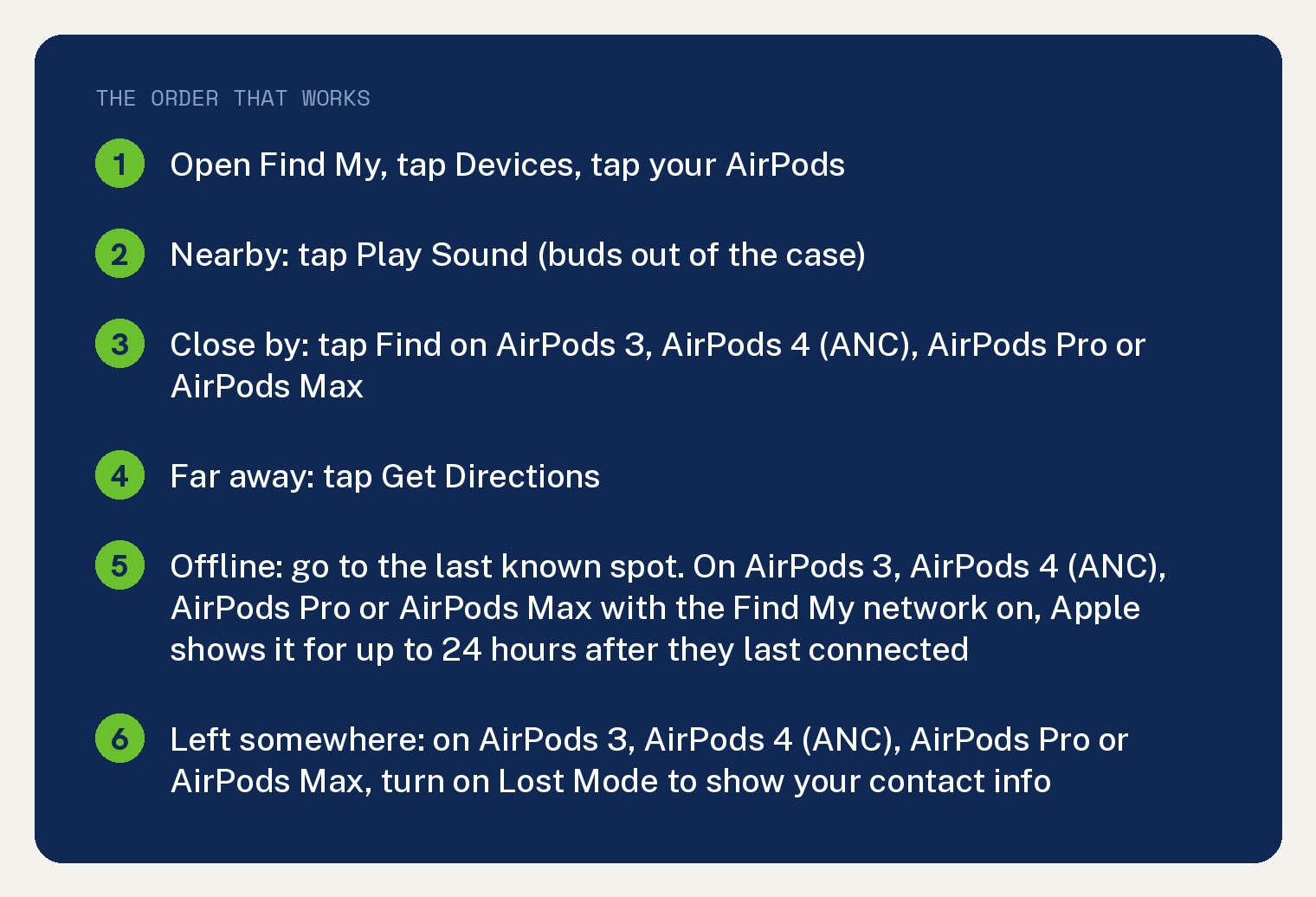
Find My AirPods starts in the Find My app on your iPhone: open it, tap Devices, then tap your AirPods. The map shows where they are now, or where they last connected.
If they are near you, tap Play Sound. If they are somewhere else, tap Get Directions.
If Find My says Offline, you might still get the last known spot. On AirPods 3, AirPods 4 (ANC), AirPods Pro and AirPods Max with the Find My network on, Apple shows that location for up to 24 hours after they last connected.
Start here: put your AirPods on the map
- Open the Find My app on your iPhone.
- Tap Devices, then tap your AirPods. If they are out of the case, you might have to pick the left bud or the right bud.
- Look at the map. It shows the current spot, or the last known spot.
- Far away: tap Get Directions and their location opens in Maps.
- Nearby: tap Play Sound and listen for the series of beeps.
Apple’s support article says you might also see a Find Nearby option, depending on your AirPods or iPhone model. The AirPods User Guide describes the same feature with a button called Find, and lists AirPods 3, AirPods 4 (ANC), AirPods Pro and AirPods Max for it.
Tap it, wait for your AirPods to connect to your iPhone, then follow the prompts on screen.
Two things have to be true before any of this works. Your AirPods were paired with an iPhone or iPad signed in to your Apple Account, and Find My was turned on before you lost them.
Which AirPods do what in Find My
Apple’s AirPods User Guide says Find My works with every AirPods model, and that some models may have additional finding features. This table pulls every model list from Apple’s two pages into one place, with the condition Apple attaches to each feature.
| What Find My can do | AirPods models Apple’s guide names | Condition Apple attaches |
|---|---|---|
| See them on a map (current or last known spot) | All AirPods models | Paired with an iPhone or iPad signed in to your Apple Account, and Find My turned on before they were lost |
| Play a sound on the buds | All AirPods models | Buds out of their case. If they are not connected and the Find My network is off, the sound plays the next time they connect |
| Play a sound on the charging case | AirPods 4 (ANC), AirPods Pro 2, AirPods Pro 3 | Not available from iCloud.com |
| See their location for up to 24 hours after they last connected, even when not nearby | AirPods 3, AirPods 4 (ANC), AirPods Pro, AirPods Max | Find My network turned on before they were lost |
| Guided nearby search (the Find or Find Nearby button) | AirPods 3, AirPods 4 (ANC), AirPods Pro, AirPods Max | When they are close by, like another room. AirPods Pro 2 and AirPods Pro 3 may show an arrow and a distance, and can find the precise location of the case |
| See each bud and the case on the map, and mark each one lost on its own | AirPods 4 (ANC), AirPods Pro 2, AirPods Pro 3 | For when you lose one bud, or the buds are separated from the case |
| Lost Mode with a contact message | AirPods 3, AirPods 4 (ANC), AirPods Pro, AirPods Max | Find My network turned on before they were lost |
| Notify When Left Behind | AirPods 3, AirPods 4 (ANC), AirPods Pro, AirPods Max | Find My network on, and notifications allowed for the Find My app |
| Verdict | AirPods 4 (ANC), AirPods Pro 2 and AirPods Pro 3 appear on every list above. AirPods 1, AirPods 2 and AirPods 4 without ANC appear only in the first two rows, because Apple’s lists past those rows do not name them | For a model that is not on a list, Apple’s guide shows the last time and place they were connected |
Your case, and the move that fits it
The buds are out of the case, somewhere near you
Start with Play Sound. The sound is meant for AirPods that are out of their case, so loose buds are the case it fits best.
- In Find My, tap Devices, then tap your AirPods.
- Tap Play Sound.
- Walk toward the beeps. The sound plays for a few minutes, or until you stop it.
- If the buds are in two different spots, tap Left or Right while the sound plays to mute one. That lets you find them one at a time.
On AirPods 3, AirPods 4 (ANC), AirPods Pro or AirPods Max, tap Find when they are close by, like another room in your house. Your iPhone or iPad then guides you toward them.
On AirPods Pro 2 or AirPods Pro 3, Apple says you may see an arrow pointing at your AirPods and a message with the rough distance. You may also get an option to turn on the flashlight for a dark room.
The buds are inside the case
The map does the work here, because Play Sound is built for buds that are out of their case.
With AirPods 4 (ANC), AirPods Pro 2 or AirPods Pro 3, you can play a sound on the charging case itself. Apple notes that the case sound is not available from iCloud.com, so use your iPhone, iPad, Mac or Apple Watch for it.
AirPods Pro 2 and AirPods Pro 3 can also find the precise location of the case in the same nearby search.
For every other model, the map is the tool. Apple shows the current or last known spot, and Get Directions takes you there.
You lost one bud
Apple publishes a real procedure for this, and it depends on your model.
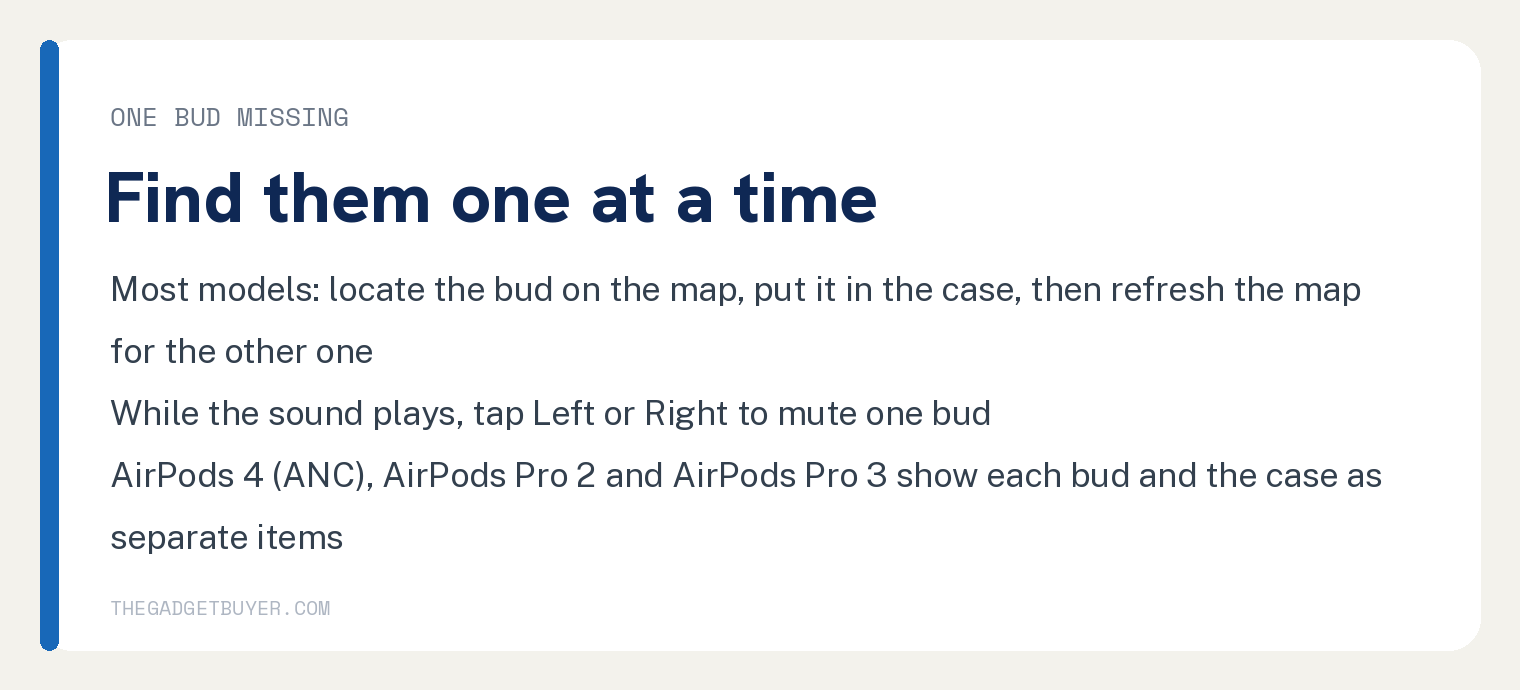
On most AirPods models, Find My shows only one bud at a time when they are separated. Work in this order:
- Locate the bud you can see on the map.
- Put that bud back in its case.
- Refresh the map. The other bud now shows.
On AirPods 4 (ANC), AirPods Pro 2 or AirPods Pro 3, the map shows each bud and the case as separate items. You can also mark just the missing bud as lost, and Apple says this is for when you lose one or the buds are separated from the case.
If the bud you keep hunting for is the one that always dies first, that has its own causes. Our guide on why one AirPod dies faster than the other covers them.
You lost the case, and the buds are with you
With AirPods 4 (ANC), AirPods Pro 2 or AirPods Pro 3, the case shows on the map as its own item. You can play a sound on it, and you can mark the case alone as lost.
AirPods Pro 2 and AirPods Pro 3 can find the precise location of the case when it is nearby.
Apple’s Find My pages place the case itself on the map only for those three models. For every other model, start from where the buds were last in the case, and read what to do if you lost your AirPods case for the options after that.
They are off, dead, or Find My says Offline
Apple says that when AirPods are out of range or need to charge, you might see their last known location, Offline, or No location found.
What you can do from there depends on one setting: the Find My network.
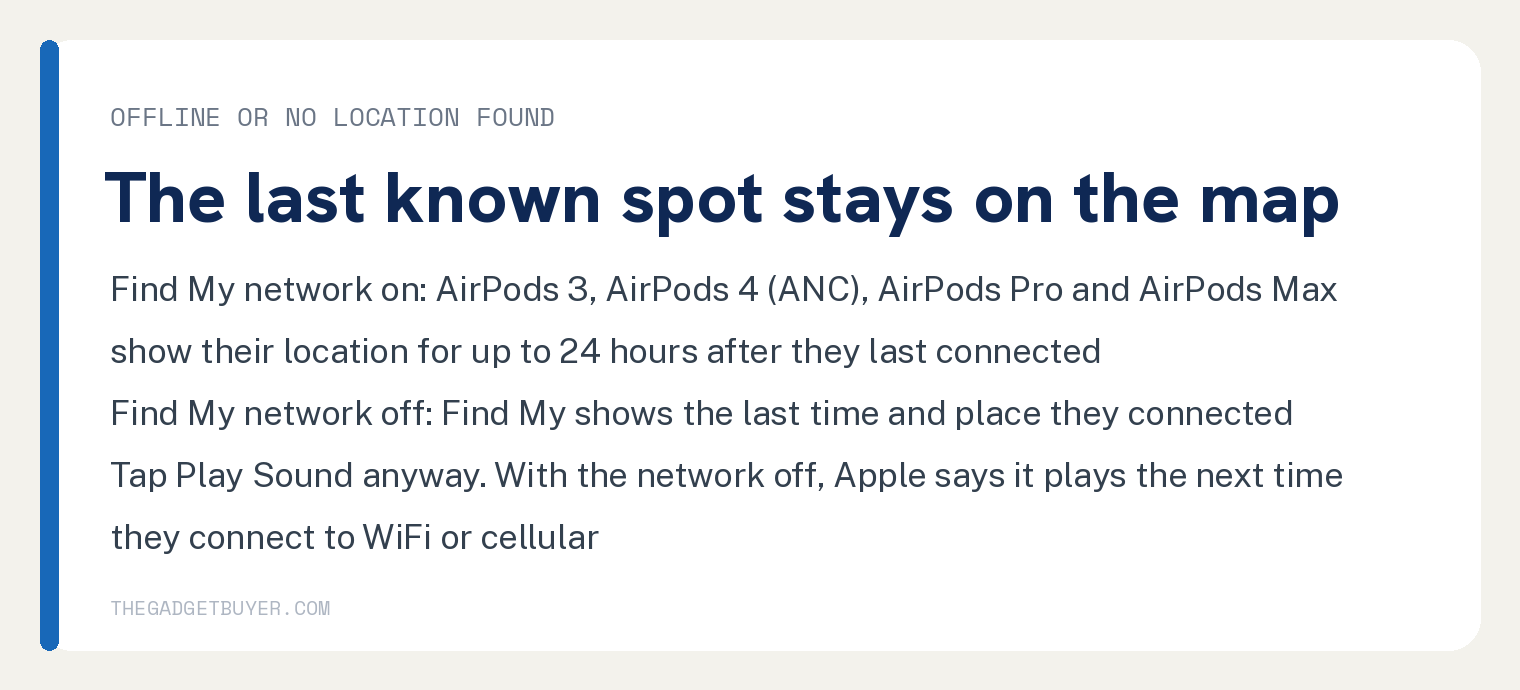
With the Find My network on, AirPods 3, AirPods 4 (ANC), AirPods Pro and AirPods Max show their location for up to 24 hours after they last connected, even when they are not nearby. Apple describes the network as nearby Apple devices sending the location of your missing AirPods to iCloud, anonymous and encrypted.
With the Find My network off, or on a model Apple does not list for it, Find My shows the last time and place your AirPods connected.
Either way, Apple says you might still be able to get directions to the last known location. Apple also says you won’t be able to play a sound or use Find Nearby while they are offline.
Tap Play Sound anyway if the Find My network is off. Apple’s two pages differ here: the support article says you won’t be able to play a sound while they are offline, and the User Guide says the sound plays the next time your AirPods connect to a WiFi or cellular network, which is the useful reading.
When they come back online, you get a notification on your iPhone, or on another Apple device you use them with.
If Find My shows Offline while the AirPods sit right next to you, Apple’s two stated causes are out of range or a need to charge. Find My not finding your AirPods walks the connection fixes.
If the case will not bring them back to life, start with an AirPods case that is not charging.
You left them somewhere: a plane, a gym, a restaurant
Turn on Lost Mode. On AirPods 3, AirPods 4 (ANC), AirPods Pro and AirPods Max, Apple lets you mark them as lost and create a message with your contact information, so the person who finds them can reach you.
- Open Find My, tap Devices, then tap your AirPods.
- Swipe up, then under the Lost heading, tap Lost Mode or Show Contact Info.
- Follow the steps on screen to add your contact information.
Apple attaches one condition: the Find My network had to be on before the AirPods were lost. If it was off, you still have the last time and place they connected on the map, and a Play Sound request that fires the next time they connect.
I have left my AirPods on planes more than once, and each time the airline got them back to me after the fact. A contact message on the AirPods gives whoever finds them a way to reach you.
Keep your phone with you afterward. If the AirPods come back online, you get a notification.
Find AirPods from a Mac, Apple Watch or iCloud.com
Every path below needs the same thing: the AirPods were paired with an iPhone or iPad signed in to your Apple Account.
- Mac: open Find My, click Devices, then select your AirPods. Play Sound, Lost Mode and Notify When Left Behind are all there.
- Apple Watch: open the Find Devices app, then select your AirPods. Apple says this needs a WiFi or cellular connection.
- Any browser: go to iCloud.com/find, sign in to your Apple Account, select All Devices, then select your AirPods. Apple’s stated limit: the experience might be different and some functionality might not be available, and the case sound is not offered from iCloud.com.
Set up the two things that make next time shorter
Turn on the Find My network today
Apple’s AirPods User Guide states it plainly: to locate AirPods when they are offline, you need to turn on the Find My network before they are lost. Lost Mode carries the same rule.
- Wear your AirPods, and make sure they are connected to your iPhone or iPad.
- Open the Settings app.
- Tap the name of your AirPods near the top of the screen.
- Scroll down, then turn on Find My Network.
Apple’s support article gives a second route to the same switch: Settings, then Bluetooth, then the More Info button next to your AirPods, then Find My network.
One note for shared pairs on AirPods 3, AirPods 4 (ANC), AirPods Pro and AirPods Max: if you use them across more than one Apple Account, only the person who turned on the Find My network can see them in Find My.
Apple also states that the Find My network might be unavailable in some countries and regions due to local laws.
Turn on Notify When Left Behind
This is the alert that fires when you walk away from your AirPods. Apple says it works on AirPods 3, AirPods 4 (ANC), AirPods Pro and AirPods Max when the Find My network is on.
You also have to allow notifications for the Find My app. Apple lists that as a condition for receiving the alerts.
- Open the Find My app on your iPhone.
- Tap Devices at the bottom of the screen, then tap your AirPods.
- Below Notifications, tap Notify When Left Behind.
- Turn on Notify When Left Behind, then follow the instructions on screen.
- To add a Trusted Location, choose a suggested location, or tap New Location, pick a spot on the map, then tap Done.
- Tap Done.
Trusted Locations are places where you can leave your AirPods without getting an alert, like home. Apple also notes that you can only set the alert up from the device sharing your location.
If you are replacing a pair that never turned up, the extra Find My features on newer models belong in the decision. See AirPods 4 vs AirPods Pro 3 and how long AirPods last.
Find My AirPods: quick answers
Can Find My locate AirPods with a dead battery?
Apple’s pages answer this through the last known location: when your AirPods need to charge, you might see their last known location, Offline, or No location found. On AirPods 3, AirPods 4 (ANC), AirPods Pro or AirPods Max with the Find My network on, that location stays visible for up to 24 hours after they last connected. When they come back online, you get a notification.
Can I play a sound on AirPods that are inside the case?
Apple scopes the sound to AirPods that are out of their case. AirPods 4 (ANC), AirPods Pro 2 and AirPods Pro 3 add a sound on the charging case itself, from an iPhone, iPad, Mac or Apple Watch. Apple notes that the case sound is not available from iCloud.com.
Does Lost Mode lock my AirPods?
Apple’s Find My pages describe one effect for AirPods: you mark them as lost and create a message with your contact information, so someone who finds them can contact you. Those pages carry no other statement about what Lost Mode does to AirPods, so set it for the contact message.
Why can’t I see AirPods that a family member also uses?
Apple’s guide covers this for AirPods 3, AirPods 4 (ANC), AirPods Pro and AirPods Max used with more than one Apple Account. Only the person who turned on the Find My network can see them in Find My.
Can I find my AirPods without an iPhone?
Yes, from a Mac, an Apple Watch, or iCloud.com/find in a browser, as long as the AirPods were paired with an iPhone or iPad signed in to your Apple Account. Apple says the web experience might be different and some functionality might not be available.
Sources
- Find your lost AirPods with Find My, Apple Support, published September 15, 2025.
- Find your AirPods, AirPods User Guide, Apple (for iOS 26 and later).
- Set separation alerts in case you leave a device behind in Find My on iPhone, iPhone User Guide, Apple (iOS 26).