
Check the Lists Filter When Contact Names Disappear
Check the Lists filter before you panic. Your contact names disappeared because the Contacts app is almost certainly showing you a filtered view, not an empty address book.
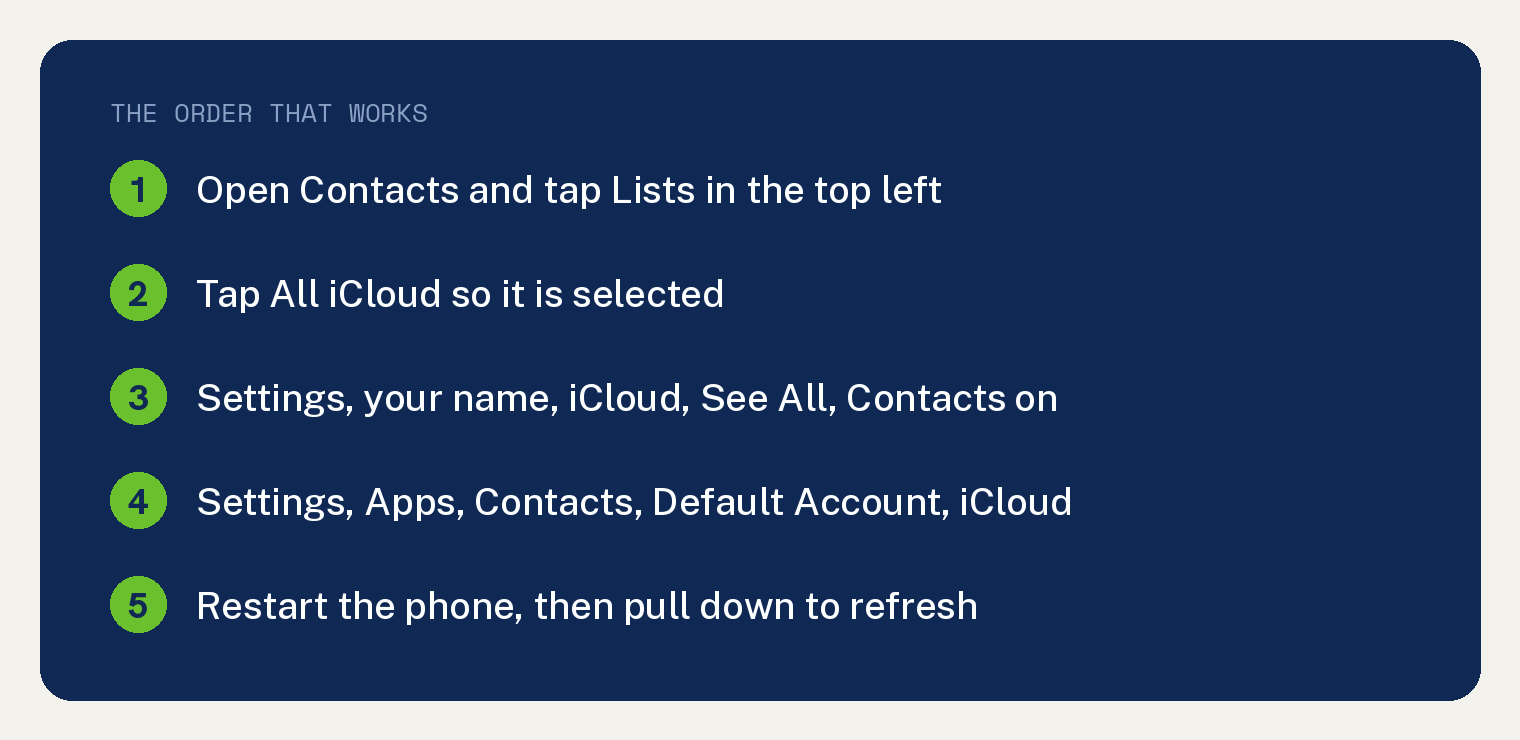
Open Contacts, tap Lists in the top left corner, and make sure All iCloud is selected. Most people get their names back right there.
Your contacts are still on Apple’s servers. You are just looking at the wrong shelf.
Why do contact names disappear?
Three things cause almost all of it.
The Contacts app is filtered to a list that does not hold your people. The iCloud Contacts switch got turned off.
Or new contacts have been saving to an account you are not looking at.
None of those delete anything. They hide things, which is good news.
Fix 1: check the Lists filter
This is the fix Apple points to when contacts go missing from a filtered view.
- Open the Contacts app (the gray icon with a person’s outline). You can also tap Contacts at the bottom of the Phone app.
- Look at the top left corner for the word Lists. Tap it.
- Tap All iCloud so it is selected.
- Tap back and check your contacts.
This is Apple’s own instruction. It tells you to open the Contacts app, tap Lists in the top left corner, and make sure that All iCloud is selected.
If your names come back, you are done. A filter was hiding them.
Fix 2: check that iCloud Contacts is switched on
The path for this changed, and older guides will send you somewhere that no longer exists.
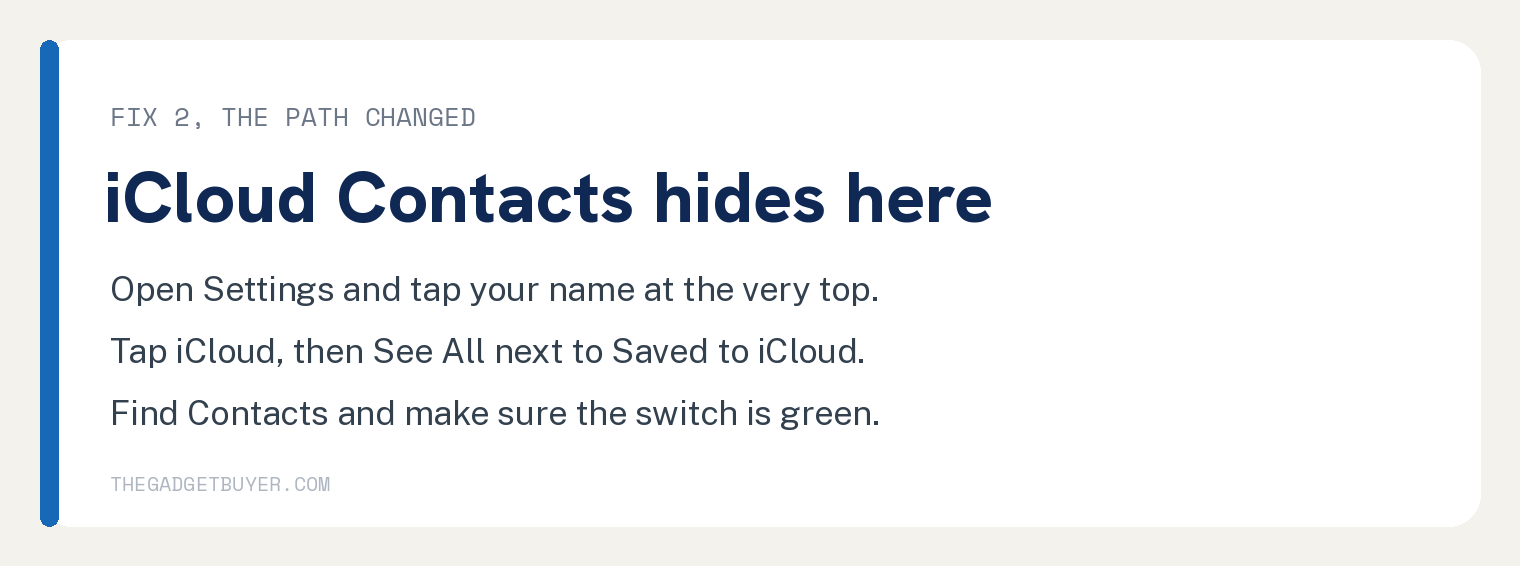
- Open Settings (the gray gear icon).
- Tap your name at the very top.
- Tap iCloud.
- Tap See All next to Saved to iCloud. This step is new and easy to miss.
- Find Contacts and make sure the switch is green.
If it was off, turn it on and give it a few minutes. Your contacts should flow back down.
A word of caution. If you ever switch this off, Apple says “you can choose to keep or delete the previously synced iCloud contacts on your iPhone.”
Read that prompt carefully rather than tapping through it.
Fix 3: check where new contacts are being saved
If some names show and others do not, check whether contacts are saving to two different accounts.
- Open Settings.
- Tap Apps.
- Tap Contacts.
- Tap Default Account.
- Set it to iCloud.
Apple flags the change directly on its support page: “Tap Settings, tap Apps, then tap Contacts. In iOS 17 or earlier, tap Settings, then Contacts.”
So if a guide tells you to open Settings and scroll to Contacts, that guide is at least two versions out of date.
Fix 4: restart, then give it time
Sync problems often clear themselves once the phone reconnects.
- Press and hold the Side button and either Volume button until the power off slider appears.
- Drag the slider to the right and wait 30 seconds.
- Press and hold the Side button until the Apple logo appears.
Then open Contacts, pull down on the list, and let it refresh. Make sure you are on WiFi or have a signal, because Contacts cannot sync without a connection.
Fix 5: import from your SIM, if that is where they live
This applies to people who came from an older phone that stored contacts on the SIM card itself.
- Open Settings.
- Tap Apps, then tap Contacts.
- Tap Import SIM Contacts.
- Choose where to put them. Pick iCloud.
If you do not see that option, your SIM has no contacts on it. Most modern phones never put them there.
Fix 6: restore contacts from iCloud
Try this only if the fixes above failed.
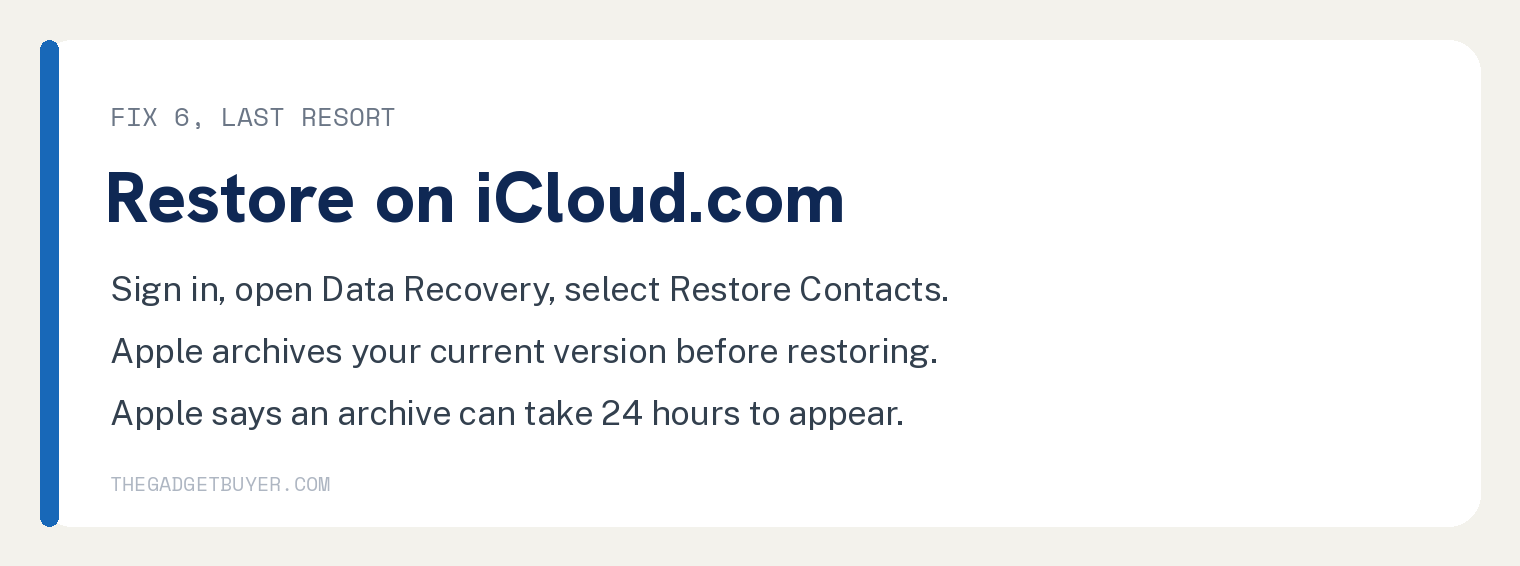
- On a computer, go to iCloud.com and sign in.
- Select the icon in the toolbar, then select Data Recovery.
- Select Restore Contacts.
- Pick an archive from before your contacts vanished and select Restore.
Two things Apple says about this, and they matter.
Apple says the restored contacts appear on all your devices that have Contacts turned on in iCloud settings.
There is a safety net worth knowing about. Apple says your current version is archived in iCloud first, so you can go back to it if you change your mind.
Apple also says “it may take up to 24 hours for the archive to appear,” so a very recent archive may not be listed yet.
What if names show as phone numbers instead?
Here we have to be straight with you.
Apple publishes no support page for contacts appearing as bare phone numbers. We looked across every contacts page it has.
Nothing addresses that symptom directly.
You will find sites blaming a setting called Short Name. Apple documents Short Name only as a way to “choose how contacts’ names appear in apps like Mail, Messages, Phone, and more.”
It never connects it to numbers replacing names.
In practice, numbers instead of names almost always means the Contacts database is not loading, not that the names are gone. Work through fixes 1 to 4 above, since those address the cause rather than the symptom.
What about duplicates?
If your problem is too many contacts rather than too few, Apple has a built in tool.
- Open Contacts.
- Look just below My Card at the top for View Duplicates.
- Tap it, then tap Merge All.
You can also join two entries by hand with Edit then Link Contacts.
One catch worth knowing before you rely on it. Apple says that “when you link contacts, those contacts aren’t merged.”
They display together but stay separate underneath.
If nothing worked
Do not start adding people back by hand yet.
Check iCloud.com in a browser first. If your contacts are there, this is a sync problem on the phone and your data is safe.
If they are not there either, go to Data Recovery and look for an archive.
Contact Apple Support before you accept that they are gone. Restoring from an archive is something they can walk you through.
Frequently asked questions
Did my contacts get deleted?
Rarely. A filtered list, a switched off iCloud toggle, or contacts saved to a different account explain the vast majority of cases. Check iCloud.com from a browser to confirm your data is still there before assuming the worst.
Why did my contacts disappear after an update?
Updates can leave Contacts mid sync, and the Settings paths themselves moved in recent versions. Restart the phone, confirm iCloud Contacts is on under See All, then give it time on WiFi.
Will turning iCloud Contacts off and on again fix it?
It can, but be careful. Switching it off prompts you to keep or delete the synced contacts on the phone, and choosing wrong makes things worse. Try the Lists filter first.
Can I get contacts back without a backup?
Often yes, through Data Recovery at iCloud.com, which keeps archives independently of your device backups. Apple archives your current version first, so a restore can be undone if it brings back the wrong set.
My iPhone is acting strangely in other ways too
If contacts are one symptom among several, look at the phone as a whole. Our guides on an iPhone taking screenshots by itself and an iPhone screen that jumps around cover related oddities.
Do I need my computer for any of this?
Only for the iCloud.com restore. Everything else happens on the phone. If you do connect to a computer, our guide on letting your computer access your iPhone covers the trust prompt.