
Do Apple Watches Need a Data Plan? What Works Without One
No. Apple Watches need a data plan only to get online when your iPhone is out of reach and no compatible Wi-Fi network is nearby, and the plan needs a watch that supports cellular.
Apple says the watch uses Bluetooth when your iPhone is near, and when Bluetooth isn’t available it tries Wi-Fi.
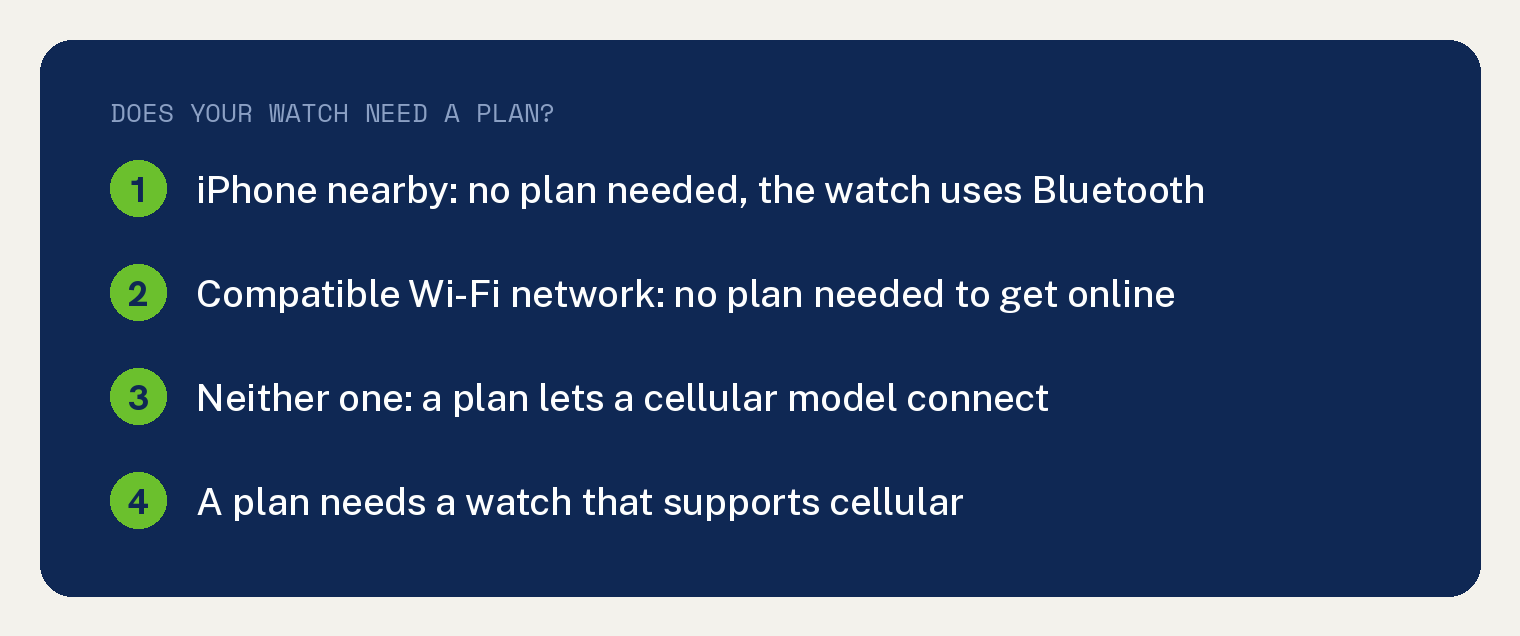
That order comes from Apple’s page on Bluetooth, Wi-Fi and cellular on Apple Watch. It says “If Bluetooth and Wi-Fi aren’t available, and you set up a cellular plan, cellular models of Apple Watch can connect to cellular networks.”
What can an Apple Watch do without a data plan?
Plenty, as long as it can reach your iPhone or a Wi-Fi network. With your iPhone off or out of range, Apple says the watch “can use a Wi-Fi network to send and receive data.”
Apple’s list of what a watch on Wi-Fi or cellular can do without your iPhone includes phone calls, messages, streaming music and Maps.
The Wi-Fi network has to be one your iPhone has joined before while it was connected to the watch by Bluetooth. Apple also says the watch “won’t connect to public networks that require logins, subscriptions, or profiles.”
Some models only join one Wi-Fi band. Apple says “Apple Watch Series 5 and earlier, and Apple Watch SE, support 2.4GHz only” for Wi-Fi.
Calls to a phone number over Wi-Fi need one setting. Apple says to “make sure that Wi-Fi calling is turned on for your Apple Watch.” If calling over Wi-Fi gives you trouble on the phone itself, see our guide to fixing iPhone Wi-Fi calling that is not working.
With no iPhone, no Wi-Fi and no cellular, the watch still works for some things. Apple’s list for that case includes tracking workouts, paying with Apple Pay, and playing music, podcasts or audiobooks you’ve downloaded to the watch.
Apple adds: “Not all features are available on all Apple Watch models. Also, not all features are available in all countries or regions.”
What does a cellular plan add to an Apple Watch?
A plan lets a cellular model get online when your iPhone and Wi-Fi are both out of reach. Apple says “With a cellular connection, you can make calls and use data or apps when you don’t have your iPhone or Wi-Fi.”
Some alerts still depend on your iPhone. To get SMS and MMS texts or push notifications from third party apps on a cellular watch, Apple says “your paired iPhone must be powered on and connected to Wi-Fi or cellular, but it doesn’t need to be nearby.”
If alerts are missing even with your iPhone close by, see why an Apple Watch is not getting notifications.
Apple’s setup page says “Turning on cellular for extended periods uses more battery power,” and some apps might not update without a connection to your iPhone.
For more on battery drain, read our guide on how to stop an Apple Watch battery dying fast.
Your own watch uses your iPhone’s number. Apple says “your iPhone and Apple Watch share the same number” and a different number shown for the watch is for your carrier’s billing or tracking only.
Apple’s setup page says: “With watchOS 9.1 and later, international roaming is available on cellular models of Apple Watch Series 5 and later, Apple Watch SE and later, and Apple Watch Ultra and later.” “To get international roaming on your Apple Watch, contact your iPhone carrier to add your watch to your iPhone cellular roaming plan. For international roaming to work on your Apple Watch, your carrier must support VoLTE and roaming.”
How do I know if my Apple Watch can use a data plan?
Check that your model is a GPS + Cellular watch. Apple’s setup page says “Make sure your Apple Watch supports cellular,” and Apple says “Apple Watch GPS + Cellular models can connect to cellular.”
If you are not sure which model you have, Apple points you to identifying your watch. Our guide to the ways to tell which Apple Watch you have can help.
The country you bought it in counts too. Apple says its cellular models “have been optimized for use in the country of purchase, and not all models work in all countries or regions.”
Still shopping? Our guide on how to pick the right Apple Watch to buy can help you choose a model.
Does my Apple Watch have to use the same carrier as my iPhone?
Yes, unless the watch was set up with Apple Watch For Your Kids. Apple’s setup page says “Your iPhone and Apple Watch must use the same carrier,” and a watch set up with Apple Watch For Your Kids “can use a different carrier than your iPhone uses.”
Your carrier also has to offer Apple Watch cellular. Apple keeps a chart of carriers that offer cellular service for Apple Watch by country or region.
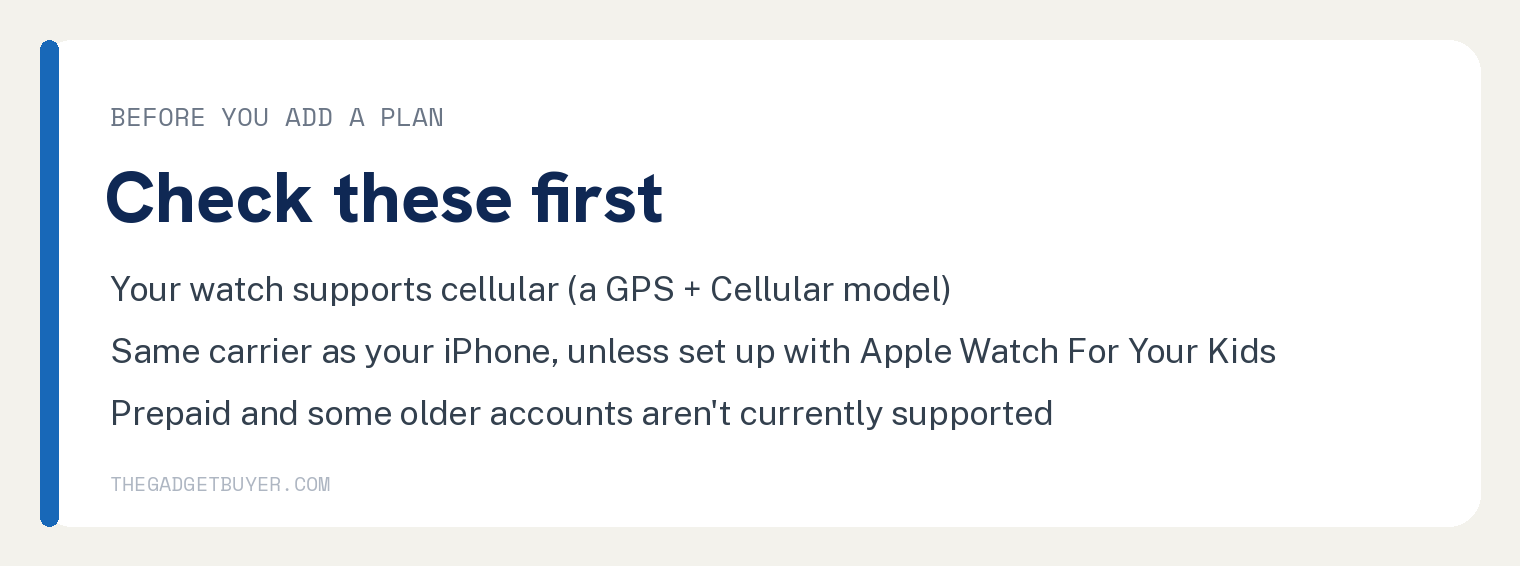
Check your account type before you sign up. Apple says “Pre-paid accounts and some older accounts aren’t currently supported. To make sure your account is eligible, contact your carrier.”
On an enterprise or corporate plan, Apple says to check with your company or carrier to see if they support it.
How do I add my Apple Watch to my cellular plan?
You can turn on cellular when you first set up the watch, or later from your iPhone. Apple says you must be within your carrier’s network when you set it up.
Apple’s setup page also says: “Make sure you have the latest software on your iPhone and your Apple Watch.”
These steps are for a watch that supports cellular, on an eligible plan with the same carrier as your iPhone:
- On your iPhone, open the Apple Watch app.
- Tap the My Watch tab, then tap Cellular.
- Tap Set Up Cellular.
- Follow the instructions for your carrier.
Apple says to contact your carrier if you need help. A kid’s watch set up with Apple Watch For Your Kids has its own steps on the same Apple page.
How much does an Apple Watch data plan cost?
Ask your carrier. Apple’s setup page and its carrier page list no monthly price for a watch plan.
Does a kid’s Apple Watch need a data plan?
Not to set it up. Apple says “A cellular plan isn’t required to set up an Apple Watch for a family member, but is necessary for some features.”
The watch itself still has to be a cellular model. Apple’s family member setup page lists “An Apple Watch Series 4 or later with cellular,” or Apple Watch SE or later with cellular.
Apple Watch For Your Kids is for a family member who doesn’t have their own iPhone, and Apple says it “is available only in certain countries or regions.”
If your carrier doesn’t support it, Apple says “you might be able to use an alternative carrier.”
Apple’s setup page also says: “International roaming isn’t supported on cellular models of Apple Watch that were set up using Apple Watch For Your Kids.”
Can I cancel an Apple Watch data plan later?
You can remove the plan from the watch in the Apple Watch app on your iPhone. Open the My Watch tab, tap Cellular, tap the information button next to your plan, then tap Remove [carrier] Plan and tap again to confirm.
Removing the plan from the watch might not cancel it with your carrier. Apple says “You might need to contact your carrier to cancel your cellular subscription. Carrier fees may apply.”