
Do FireSticks Go Bad? What Amazon Actually Promises
Do FireSticks go bad? Not on any schedule Amazon is willing to promise you.
Amazon publishes no lifespan for the Fire TV Stick. What it does publish is more useful: the date your stick stops being promised security updates.
Most Fire TV Sticks sold today are promised software security updates through December 31, 2030. The Fire TV Stick 4K (1st Generation) is promised updates through December 31, 2029.
The two oldest sticks are not on Amazon’s list at all.
So a FireStick gets left behind by software rather than wearing out the way a battery does.
What does Amazon actually promise?
Amazon makes one clear commitment on its Fire TV security updates page.
It says it will support your device with software security updates “until at least four years from when you bought it new, from Amazon as the seller, on Amazon.com.”
Then it adds a line most people never read. The update period “is not a guarantee as to how long your device will last.”
Read that again. Amazon deliberately refuses to promise you a number of years.
So where does the “6 to 8 years” number come from?
Not from Amazon.
You will see a 6 to 8 year lifespan repeated all over the web. This page used to repeat it too.
We removed it.
No Amazon page states it. The only official number is the support date, and Amazon attaches a disclaimer to even that.
If a site gives you a confident lifespan for a FireStick, it made the number up.
Which FireSticks are still supported?
Here is Amazon’s published support schedule. Read these as a floor, not a deadline: Amazon promises updates until at least four years from purchase, or until the date below if that is later.
| Model | Security updates promised at least through |
|---|---|
| Fire TV Stick (3rd Gen) and newer | December 31, 2030 |
| Fire TV Stick 4K (2nd Gen) | December 31, 2030 |
| Fire TV Stick 4K Max | December 31, 2030 |
| Fire TV Stick 4K Plus | December 31, 2030 |
| Fire TV Stick 4K Select | December 31, 2030 |
| Fire TV Stick HD | December 31, 2030 |
| Fire TV Stick Lite | December 31, 2030 |
| Fire TV Stick 4K (1st Gen) | December 31, 2029 |
| Fire TV Stick (1st Gen) | Not listed by Amazon |
| Fire TV Stick (2nd Gen) | Not listed by Amazon |
That last row is the real answer to “do FireSticks go bad.”
Amazon simply stopped publishing a support date for the first two generations. It never announced they were finished.
They quietly fell off the table.
How do you tell which FireStick you own?
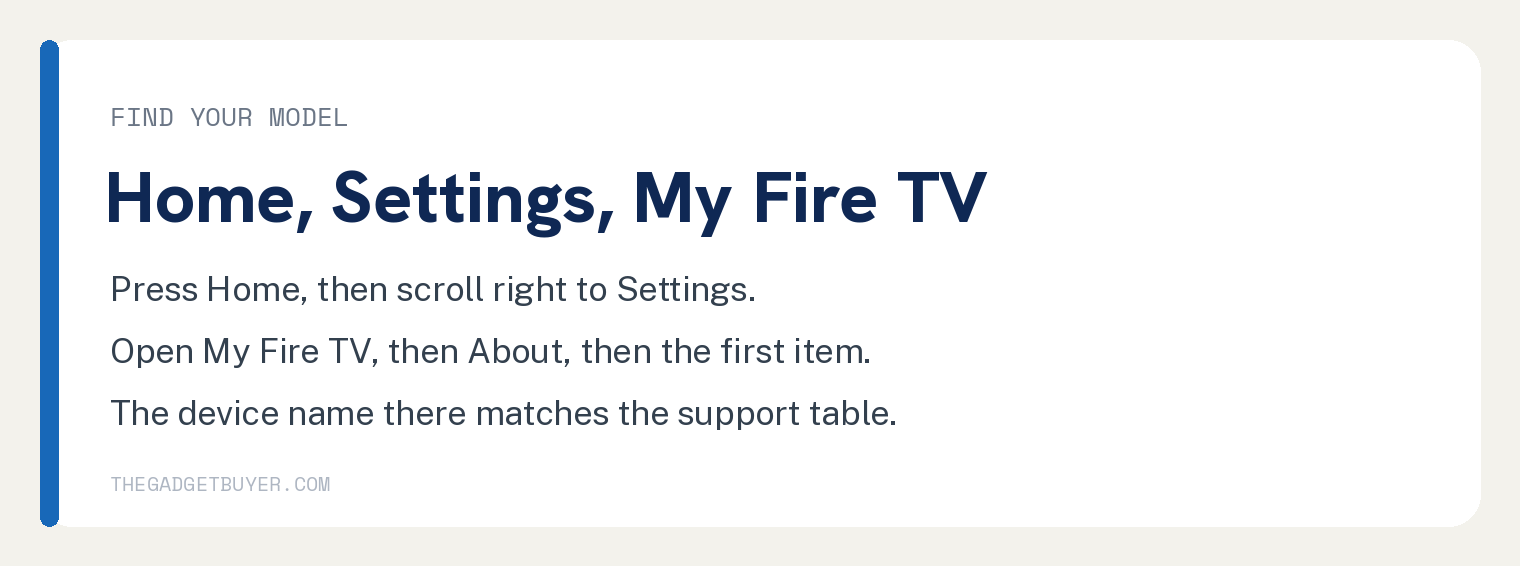
Grab your remote and follow these steps.
- Press the Home button (the little house icon).
- Scroll right along the top menu to Settings (the gear icon).
- Select My Fire TV.
- Select About.
- Select the first item in the list.
You should see your device name, such as “Fire TV Stick 4K Max.” Match that against the table above.
Why does my FireStick feel so slow?
Usually storage, not age.
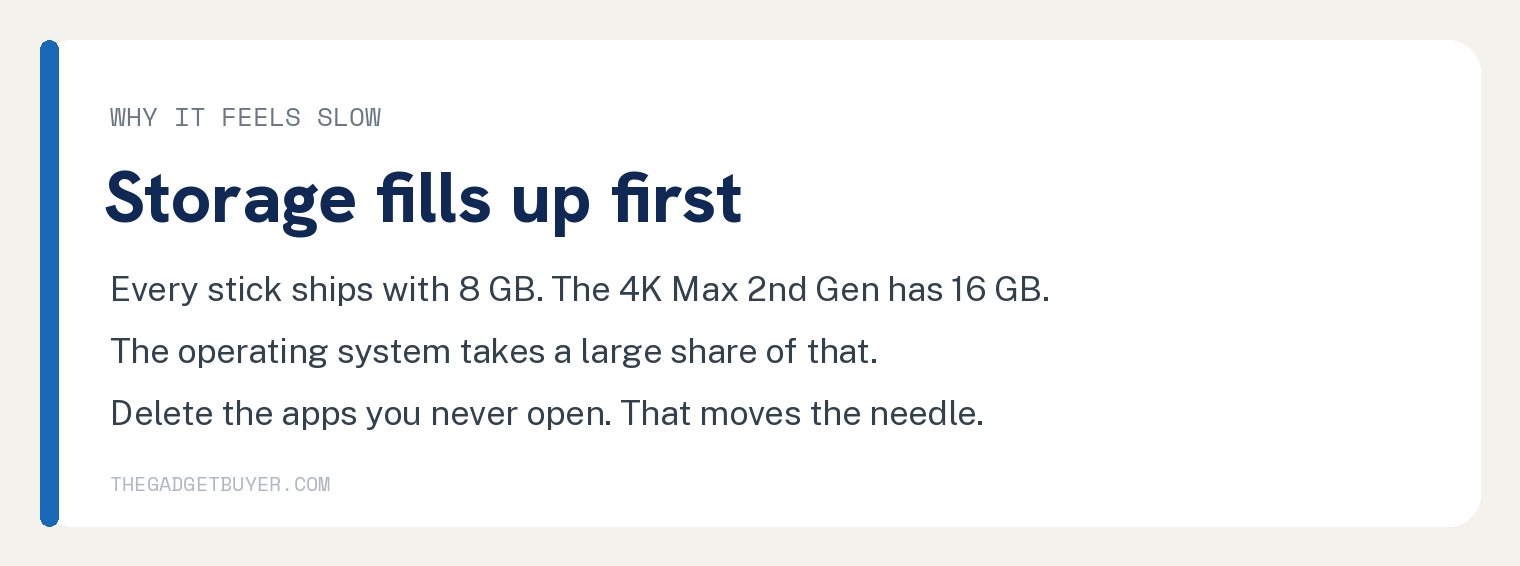
Every Fire TV Stick Amazon has ever made ships with 8 GB of storage. The only exception is the Fire TV Stick 4K Max (2nd Generation), which has 16 GB.
That 8 GB is not all yours. The operating system takes a large share before you install anything.
Amazon does clean up after you automatically. Its help pages say unused apps “may be offloaded automatically” after 60 days.
It also clears app cache on its own. If an app sits unused for more than 30 days and the device is low on storage, Amazon says the cleanup “runs in the background and can’t be deactivated.”
One catch, and it lands on exactly the wrong people. Amazon says this storage optimizing is not available on the Fire TV Stick 1st Generation, 2nd Generation, or Basic Edition, or on devices using Kids profiles.
So the oldest sticks, the ones most likely to be short on space, are the ones that do not get the automatic cleanup.
So if your stick is crawling, delete the apps you never open. That is the fix that actually moves the needle.
Is it normal for a FireStick to get hot?
Yes, and this surprises people.
Amazon’s own safety page says your device “may get hot during normal use.” Heat by itself is not a sign your stick is dying.
Amazon’s advice if it gets hot to the touch: unplug it from the power supply and let it cool down for a few minutes before handling it.
Amazon does not list overheating as a cause of failure anywhere we could find.
Should you plug a FireStick into your TV’s USB port?
This is the advice that changed, and almost every older article still gets it wrong.
For years the rule was simple: never run your stick off the TV’s USB port, always use the wall adapter. Amazon’s troubleshooting page still says to “use a 5W (5V, 1A or equivalent) power adapter and a longer USB power cable.”
But the newest Fire TV Stick HD is built to do the opposite, and the naming makes this dangerous to get wrong.
Amazon sells two different sticks called the Fire TV Stick HD. Only the 2nd Generation (2026) has the feature.
Amazon describes Direct Power on that model as plugging into your TV’s USB port and being powered by your TV, with no separate power adapter needed.
Even then it is a choice, not a requirement. Amazon says the 2nd Generation stick can be powered either from the TV USB port or from an external power adapter, which is not included in the box.
The 2024 Fire TV Stick HD is the opposite. Its safety page says to only use the included power adapter with your device.
So check your exact model before you follow either rule. On most sticks, the wall adapter is still correct.
On the Fire TV Stick HD (2nd Generation), the TV USB port is the design. On the 2024 Fire TV Stick HD, it is not.
If your stick reboots at random or shows a low power warning, power is your first suspect either way. Our guide on why your FireStick keeps needing an unplug walks through it.
What warranty comes with a FireStick?
Not the same one on every model, which catches people out.
| Model | Warranty |
|---|---|
| Fire TV Stick 4K Max | 1 year |
| Fire TV Stick 4K Plus | 1 year |
| Fire TV Stick 4K | 1 year |
| Fire TV Cube | 1 year |
| Fire TV Stick 4K Select | 90 days |
| Fire TV Stick HD | 90 days |
| Fire TV Stick Lite | 90 days |
| Fire TV Stick (2nd Gen or later) | 90 days |
| Fire TV Stick (1st Gen) | 1 year |
Check yours rather than assuming. Most budget models get 90 days while the 4K line gets a year, though the original 1st Generation stick carried a full year too.
There is a bigger change coming to Fire TV
Amazon has started moving Fire TV off Android.
Its developer documentation shows the Fire TV Stick HD (2nd Generation) and the Fire TV Stick 4K Select running Vega OS, not Fire OS. That is a different software platform underneath.
The 2024 Fire TV Stick HD still runs Fire OS, which is why the same product name now covers two different machines.
What that means for app support over the next few years is not something Amazon has spelled out. We are not going to guess for you.
It is worth knowing before you assume every stick on the shelf is the same product it was five years ago.
When should you actually replace your FireStick?
Replace it when one of these is true.
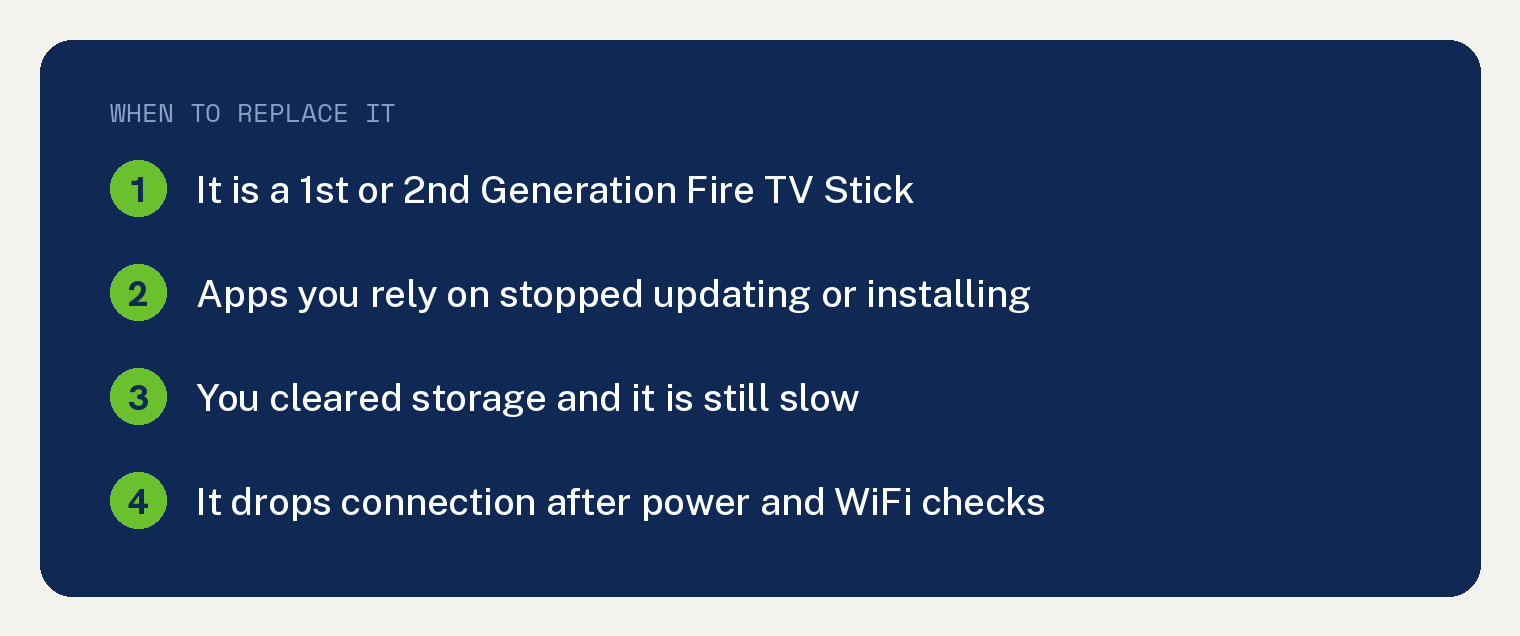
- It is a 1st or 2nd Generation Fire TV Stick. Amazon no longer publishes a support date for it.
- Apps you rely on have stopped updating or will not install.
- You have cleared storage and it is still slow.
- It will not hold a stable connection after you have ruled out power and WiFi.
Do not replace it just because it is a few years old and feels sluggish. Clear the storage first.
That fixes more sticks than any purchase.
If yours has stopped responding entirely, start with our guide on what to try when a FireStick stops working.
Frequently asked questions
Do FireSticks stop working after a few years?
Not on a schedule. Amazon promises security updates until at least four years from purchase, and publishes a per model end date. It explicitly says that date is not a promise of how long the hardware lasts.
Can a FireStick get a virus?
The security updates Amazon ships exist to patch vulnerabilities, which is exactly why the support end date matters. Once a device stops getting them, known holes stay open. That is the strongest argument for retiring the oldest sticks.
Does a FireStick need a subscription?
The stick itself does not, though the apps on it often do. We cover the full picture in our guide on whether a FireStick needs a subscription.
How many FireSticks can I use on one account?
More than most people expect. See our breakdown of how many FireSticks one Amazon account supports.
My remote stopped working. Is the stick dying?
Almost never. Remotes lose their pairing far more often than sticks fail. Try pairing your Amazon remote again before you blame the hardware.
6 to 8 years LOL. My Fire Stick failed yesterday *again.* It fails every 6 to 9 months. I’ve now gone through about 6 of them. Then it requires hours and hours of chat just to get them to send me another one at no cost. You see the warranty *always* very conveniently expires several weeks before it dies. Amazon have become as trustworthy and as much of a hassle as cable tv.